

The real estate marketing world changed in 2024 with increased enforcement of the Telephone Consumer Protection Act or the Application-to-Person 10-Digit Long Code (A2P 10DLC) regulations introduced to enhance transparency and reduce spam.
In 2025, Facebook Ads for real estate will remain a powerful tool for grabbing attention and leaving a lasting impact on potential clients.
This blog post dives into 14 examples of inspiring real estate Facebook Ads examples for 2024, spotlighting the latest trends and creative approaches that confidently set the industry standard.
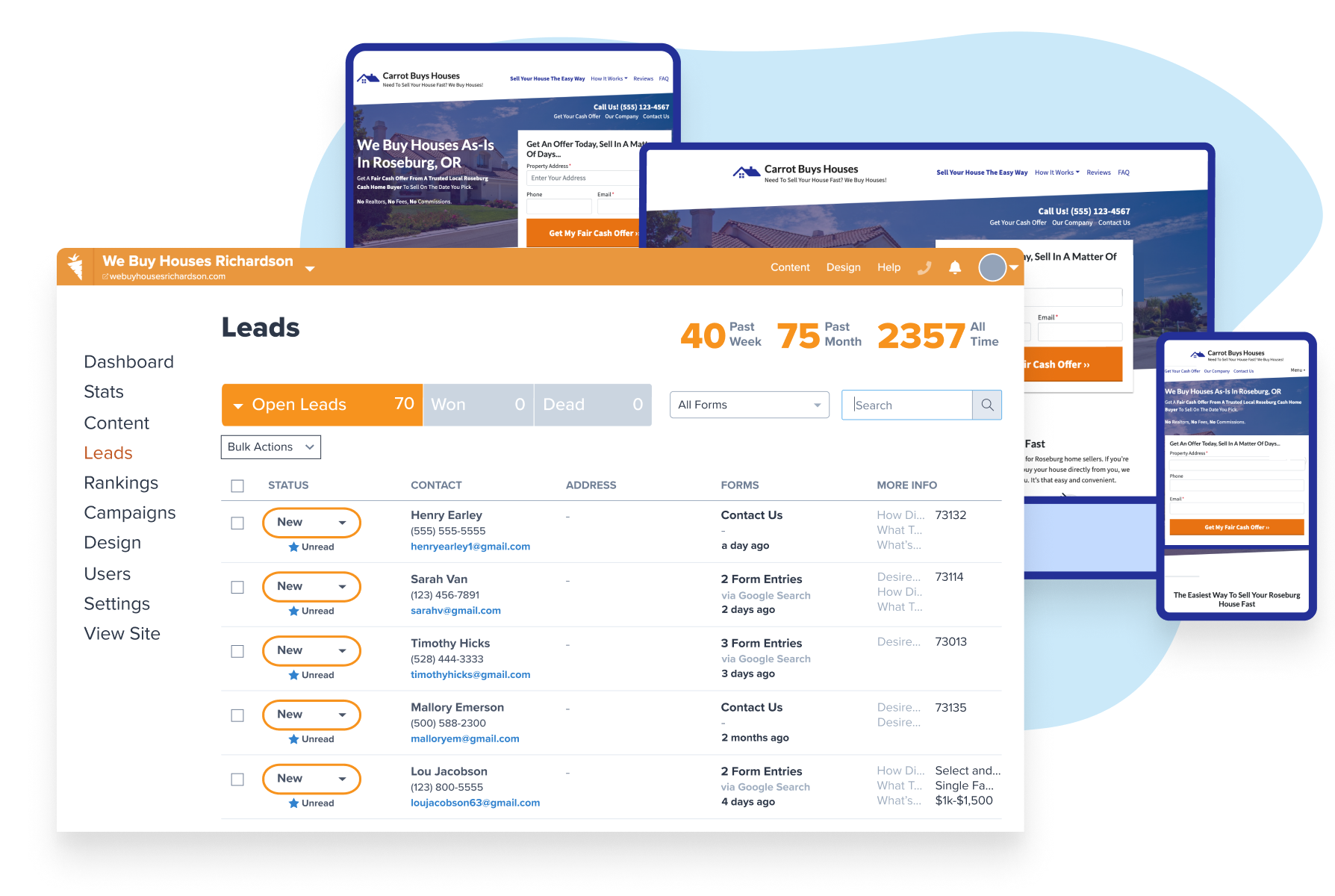
Demo Carrot: How many deals are you losing to your competitor’s website?
Take a Free DemoLearn The TRUTH About How Any Real Estate Investor Can Find Leads Online And Avoid Wasting Thousands Of Dollars
14 Advanced Real Estate Facebook Ads in 2025
Jump to each ad example:
Real Estate Facebook Ads – Personalized Dynamic Ads:
The concept of Personalized Dynamic Ads goes beyond traditional static advertisements, offering a dynamic and tailored experience for potential buyers by showcasing content uniquely relevant to each individual.
Personalized Dynamic Ads leverage user data and behavior to deliver content that resonates with each viewer personally. This is achieved through real-time customization of ad elements, ensuring that the right properties are showcased to the right audience at the right time.
Dynamic Ad Components:
- Property Recommendations: Tailoring the ad content to showcase properties that align with the viewer’s preferences, previous interactions, and search history.
- Pricing and Offers: Displaying real-time pricing updates, special offers, or personalized discounts based on user behavior and engagement.
- Location-Based Information: Incorporating local amenities, schools, and attractions specific to the viewer’s location or the location of their previous property searches.
- Call-to-Action Variations: Customizing the call-to-action (CTA) based on the user’s stage in the buyer’s journey, whether scheduling a tour, requesting more information, or making an offer.
Benefits for Real Estate Agents and Investors:
Unlike static ads, personalized dynamic ads can feature a variety of dynamic components, including:
- Increased Relevance and Engagement: Personalized dynamic ads significantly increase relevance by tailoring ad content to individual preferences. This, in turn, boosts user engagement as viewers are more likely to interact with content that aligns with their specific interests.
- Higher Conversion Rates: The dynamic nature of these ads allows real estate professionals to showcase a variety of properties or highlight specific features based on what is most likely to resonate with each viewer. This targeted approach contributes to higher conversion rates.
- Enhanced User Experience: Personalized dynamic ads create a more seamless and enjoyable user experience. Potential buyers feel that the content is curated specifically for them, enhancing their perception of the brand and increasing the likelihood of positive interactions.
Implementation Tips:
- Utilize advanced analytics for marketing tools to gather and analyze user data effectively.
- Collaborate with digital marketing experts to implement dynamic ad strategies across various platforms.
- A/B tests different dynamic components to fine-tune ad performance and maximize results.
Real Estate Facebook Ads – Emotive Storytelling Through Cinemagraphs:
In the world of digital storytelling, real estate marketers are turning to an enchanting visual medium: cinemagraphs. Combining the dynamism of video with the subtlety of photography, cinemagraphs are captivating and emotive, making them an increasingly popular choice for conveying the unique stories behind real estate properties.
Why Cinemagraphs Matter:
- Extended Engagement: Unlike static images, cinemagraphs encourage prolonged engagement as viewers are captivated by the subtle, mesmerizing movements. This extended interaction provides more time for the property’s unique features to leave a lasting impression.
- Differentiation in a Crowded Market: Standing out is essential in a saturated real estate market. Cinemagraphs offer a visually distinct and innovative way to showcase properties, differentiating your brand and listings from the competition.
Strategic Implementation:
- Highlight Unique Features: Use cinemagraphs to draw attention to the distinctive features of a property. Whether it’s a cozy fireplace, panoramic views, or a tranquil backyard, cinemagraphs can emphasize these elements in a visually compelling manner.
- Create Atmosphere: Cinemagraphs excel at creating a specific atmosphere or mood. Whether you want to convey a sense of luxury, relaxation, or excitement, the subtle movements in cinemagraphs can evoke the desired emotional response.
- Storytelling Narratives: Craft visual narratives for your properties. Cinemagraphs allow you to tell a story, guiding viewers through different spaces and creating a cohesive narrative showcasing a home’s flow and character.
Benefits for Real Estate Agents and Investors:
- Memorable Impressions: Cinemagraphs leave a lasting impression on viewers. The combination of motion and stillness creates a memorable visual experience that can influence perceptions and decisions.
- Increased Social Media Engagement: On social media platforms where visual content reigns supreme, cinemagraphs stand out in crowded feeds. The engaging nature of cinemagraphs can boost social media engagement and encourage users to share your content.
- Versatility Across Platforms: Cinemagraphs can be incorporated into various marketing channels, including websites, social media, email campaigns, and digital advertisements. Their versatility makes them a valuable asset in a comprehensive marketing strategy.
Implementation Tips:
- Collaborate with professional photographers and videographers experienced in cinemagraph creation. Focus on subtle, natural movements that enhance the property’s ambiance without distracting from its key features. A/B test different cinemagraphs to gauge audience preferences and optimize engagement.
Real Estate Facebook Ads – AI-Powered Chatbots for Instant Engagement:
In an era where instant communication is the norm, real estate marketers increasingly turn to AI-powered chatbots to facilitate immediate engagement and enhance customer interactions. These intelligent bots are reshaping how real estate professionals connect with potential clients by providing instant responses, valuable information, and a personalized experience.
AI-powered chatbots leverage natural language processing (NLP) and machine learning algorithms to understand and respond to user queries in real time. This technology revolutionizes customer interactions in the real estate industry by offering instantaneous engagement, 24/7 availability, and valuable insights.
Key Features and Benefits:
- Instant Response: One of the primary advantages of AI-powered chatbots is their ability to respond immediately to user inquiries. This ensures that potential clients receive timely information, fostering a positive user experience and reducing the risk of losing leads due to delayed responses.
- 24/7 Availability: Unlike human agents, chatbots don’t need breaks or sleep. They offer round-the-clock availability, catering to users’ needs in different time zones or those browsing properties outside regular business hours.
- Personalized Interactions: Advanced AI algorithms enable chatbots to personalize interactions based on user data. Chatbots can offer tailored recommendations, property suggestions, and relevant information by analyzing previous interactions, browsing history, and preferences, creating a more engaging and personalized experience.
- Lead Qualification: Chatbots can efficiently qualify leads by asking relevant questions and gathering essential information. This streamlines the lead qualification process and helps human agents focus on high-priority leads, ultimately improving conversion rates.
- Appointment Scheduling: Some AI-powered chatbots are equipped with the capability to schedule property viewings, consultations, or virtual tours. This seamless integration simplifies the process for potential buyers, enhancing convenience and efficiency.
Strategic Implementation:
- Integration with Platforms: Integrate chatbots into your website, social media platforms, and messaging apps to meet potential clients where they are most active. This omnichannel approach ensures a consistent and accessible user experience.
- Natural Language Understanding: Enhance chatbot capabilities by investing in natural language understanding technology. This allows chatbots to comprehend user inquiries, even if they are phrased in various ways, improving the overall user experience.
- Data Security Measures: Implement robust data security measures to protect sensitive information shared through the chatbot. Building trust with users is crucial for the success of AI-powered chatbots in real estate.
Implementation Tips:
- Regularly update the chatbot’s knowledge base to keep information current and relevant.
- Monitor user interactions to identify areas for improvement and refine the chatbot’s responses over time.
- When more complex queries arise, provide a seamless transition from the chatbot to human agents.
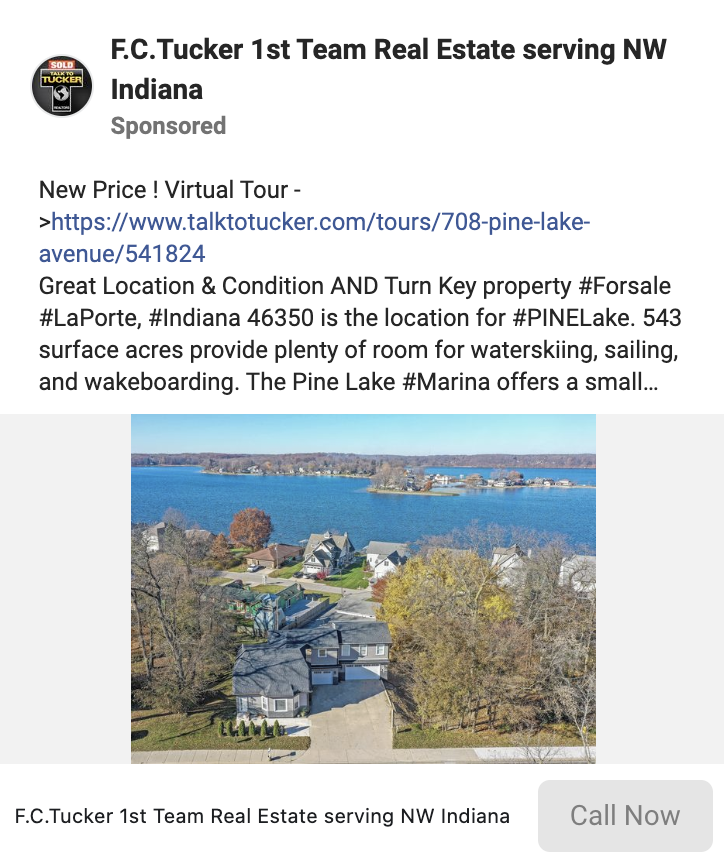
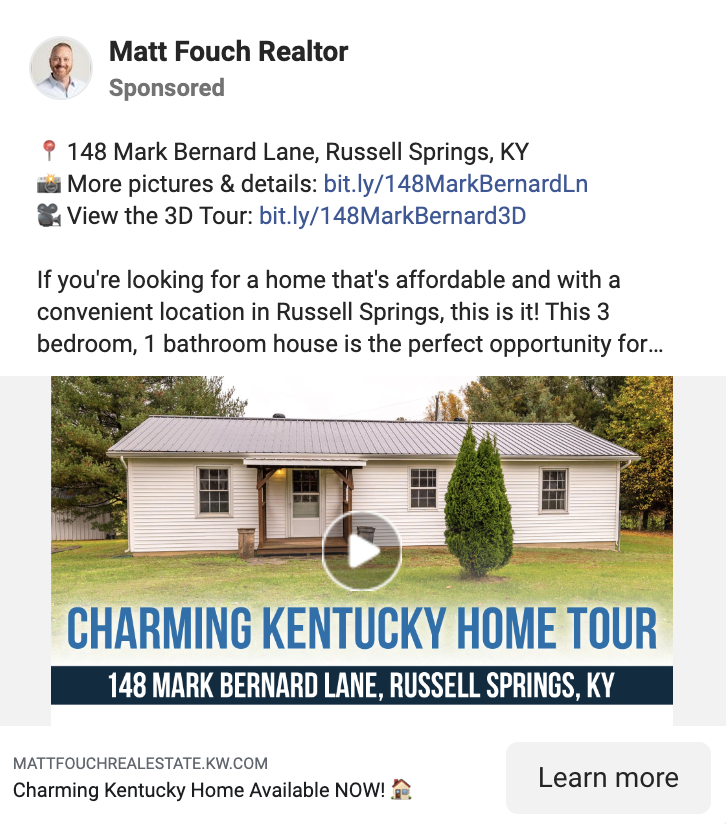
Real Estate Facebook Ads – Virtual Property Tours:
As technology advances, virtual tours have become a powerful tool in the real estate industry, revolutionizing how potential buyers explore and experience properties. Virtual property tours provide an immersive and interactive experience, allowing users to enter a property virtually, examine its features, and envision their future living space.
Key Features and Benefits:
- Immersive Exploration: Virtual property tours provide an immersive experience beyond traditional images or videos. Potential buyers can virtually explore every nook and cranny of a property, gaining a realistic sense of its layout, design, and overall ambiance.
- Remote Property Viewing: Virtual property tours revolutionize remote property viewing, which is especially beneficial for out-of-town buyers or those unable to attend physical showings. This innovation in a globalized market empowers individuals to explore and evaluate properties from the comfort of their current location.
- Enhanced Engagement: Virtual tours provide a higher engagement level than traditional media. Users actively participate in the exploration, deciding where to go and what features to focus on, leading to a more memorable and impactful experience.
- Time and Cost Savings: Virtual property tours can save time and resources for real estate professionals and potential buyers. Instead of traveling to multiple properties, users can narrow their choices through virtual tours, making the property selection process more efficient.
Strategic Implementation:
- Professional Virtual Content Creation: Engage virtual content creators or agencies specializing in real estate virtual tours to ensure high-quality, immersive experiences. Professional content can significantly enhance the visual appeal and effectiveness of virtual tours.
- Cross-Platform Accessibility: Ensure that your virtual tours are accessible across various platforms, including using VR headsets, smartphones, and desktops. This ensures a broader reach and accommodates users with different devices.
- Integration with Online Platforms: Embed virtual tours into your website, property listings, and social media platforms to maximize exposure. Seamless integration allows potential buyers to access virtual tours effortlessly and enhances the overall online presence of your listings.
Implementation Tips:
- Provide clear instructions for users on how to access and navigate virtual tours.
- Regularly update virtual content to reflect any changes in the property, ensuring accuracy for potential buyers.
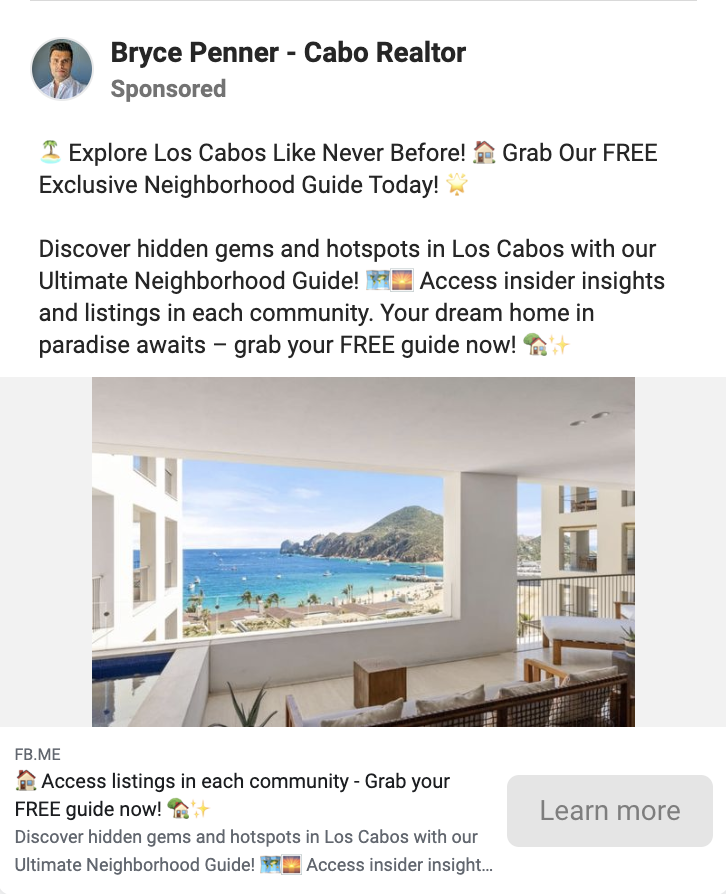
Real Estate Facebook Ads – Neighborhood Guide Ads:
Adapt to the evolving needs of your audience, ensuring that the information provided remains relevant and valuable.
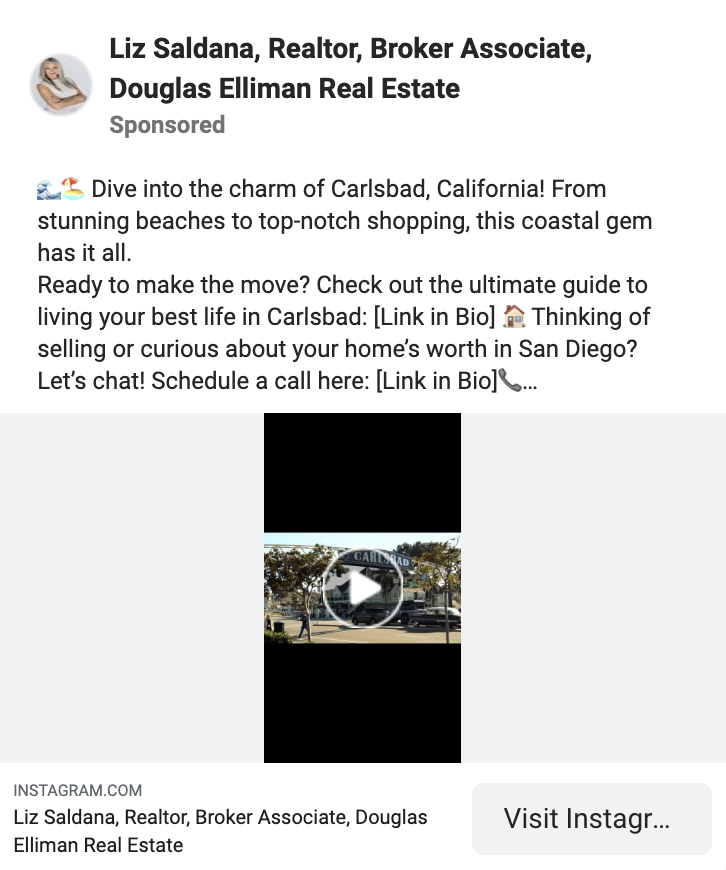
Strategic Implementation:
- Highlight Key Features: Strategically showcase the key features of each neighborhood, emphasizing factors like schools, parks, safety, and local culture.
- Targeted Audience: Use real estate Facebook ads targeting features to reach potential buyers specifically interested in certain neighborhoods, ensuring your guides reach the most relevant audience.
Implementation Tips:
- Interactive Elements: Incorporate interactive elements such as maps, videos, and quizzes to make your guides more engaging and memorable.
- Community Involvement: Collaborate with local businesses and residents to enhance the authenticity and credibility of your neighborhood guides.
GIF-based Teasers for Property Launches:
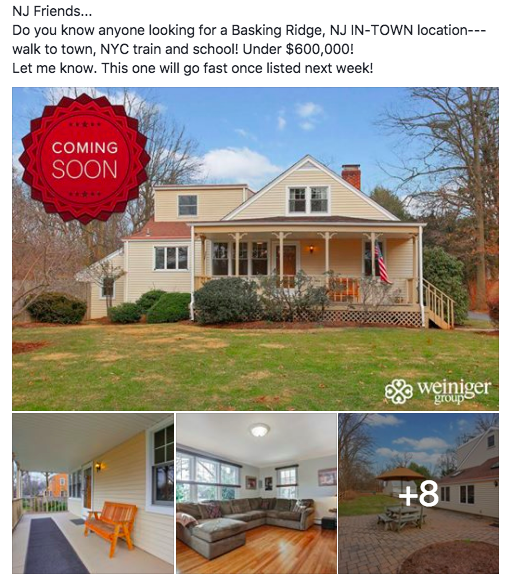
GIF-based teasers have emerged as a creative and attention-grabbing strategy, particularly for generating excitement around property launches. This innovative approach leverages the engaging nature of GIFs to provide a sneak peek into a new property, creating anticipation and sparking interest among potential buyers.
Key Features and Benefits:
- Visual Appeal and Engagement: GIFs are inherently attention-grabbing due to their dynamic nature. GIF-based teasers capitalize on this visual appeal to quickly capture the audience’s attention and keep them engaged during the brief animation.
- Storytelling in Motion: GIFs enable real estate marketers to tell a concise visual story. Whether highlighting the exterior aesthetics, interior design elements, or the property’s surroundings, these short animations provide a narrative in a format that is easy to consume and share.
- Creating Buzz for Property Launches: GIF-based teasers are particularly effective in building anticipation for upcoming property launches. By offering tantalizing glimpses of what’s to come, these teasers create a sense of excitement and encourage potential buyers to stay tuned for the full property reveal.
- Social Media Shareability: GIFs are highly shareable on social media platforms. Their short and captivating format makes them ideal for sharing across various channels, amplifying the reach of property teasers and increasing the likelihood of virality within online communities.
Strategic Implementation:
- Highlight Unique Features: Use GIF-based teasers to showcase the distinctive features of a property. This could include panoramic views, state-of-the-art amenities, or architectural details that set the property apart from others in the market.
- Countdown to Launch: Incorporate GIF teasers into a countdown campaign before the property launch. Each teaser can reveal a different aspect of the property, creating a sense of anticipation and encouraging potential buyers to mark their calendars for the official unveiling.
- Cross-Platform Promotion: Share GIF-based teasers across various platforms, including social media, email newsletters, and property listing websites. Consistent cross-platform promotion ensures maximum visibility and engagement.
Implementation Tips:
- Keep GIFs short and snappy, focusing on key selling points.
- Ensure that GIFs align with the overall branding and messaging for the property.
- Monitor engagement metrics to gauge the effectiveness of GIF-based teasers.
Real Estate Facebook Ads – Time-Limited Offers:
The incorporation of Time-Limited Offers has proven to be a potent strategy for driving urgency and motivating potential buyers to take swift action. This real estate Facebook Ads approach involves presenting limited-time opportunities, incentives, or exclusive deals to create a sense of scarcity and prompt quicker decision-making among prospective property investors or homebuyers.

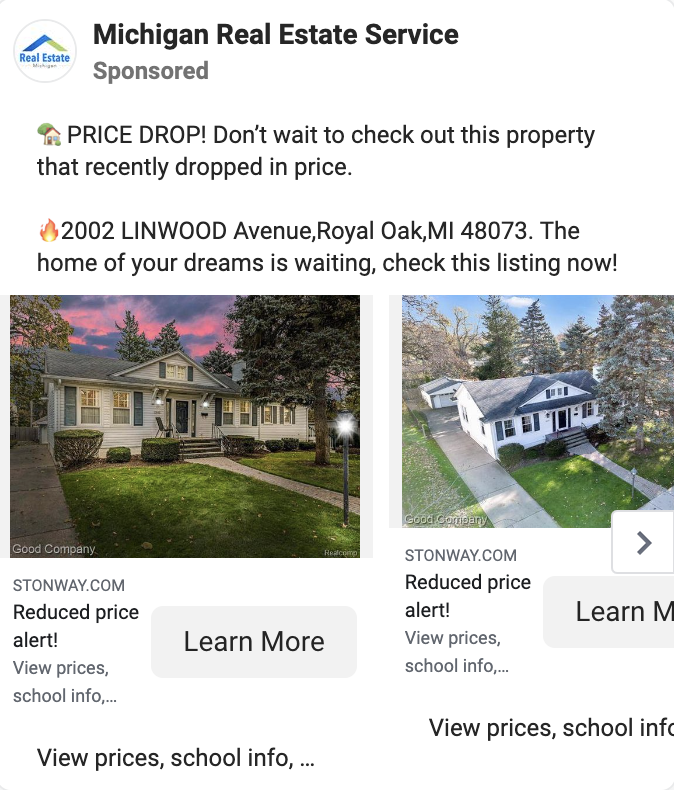
Key Features and Benefits:
- Urgency and Scarcity: The primary benefit of time-limited offers is their ability to instill a sense of urgency and scarcity. By setting a deadline, real estate marketers create a compelling reason for potential buyers to act promptly to secure exclusive benefits or savings.
- Faster Decision-Making: The time constraint associated with exclusive offers accelerates decision-making. Prospective buyers are more likely to expedite their evaluations, negotiations, and ultimately, their purchasing decisions to take advantage of the limited-time benefits.
- Enhanced Perceived Value: Limited-time offers contribute to the perceived value of a property. Buyers recognize that these exclusive deals are time-sensitive and may not be available in the future, adding a layer of exclusivity and attractiveness to the investment opportunity.
- Lead Generation and Conversion: The sense of urgency generated by time-limited offers can stimulate increased lead generation and higher conversion rates. Potential buyers who might have been on the fence may be more inclined to act decisively to secure the exclusive benefits.
Strategic Implementation:
- Clear Communication: Communicate the terms and benefits of the time-limited offer. Transparency is key to building trust and ensuring that potential buyers fully understand the value they stand to gain within the specified timeframe.
- Multi-Channel Promotion: Promote time-limited offers across various marketing channels. This includes leveraging social media, email marketing, website banners, and property listings to reach a broader audience and maximize visibility.
- Align with Property Features: Ensure the exclusive offer aligns with the property’s unique features and selling points. This creates a cohesive marketing message and reinforces the value proposition for potential buyers.
Implementation Tips:
- Use compelling and visually appealing graphics to highlight the exclusivity and limited duration of the offer.
- Provide a clear and easily accessible call-to-action, guiding potential buyers on how to take advantage of the exclusive offer.
- Monitor and analyze the performance of the time-limited offer to inform future marketing strategies.
Real Estate Facebook Ads – Testimonials:
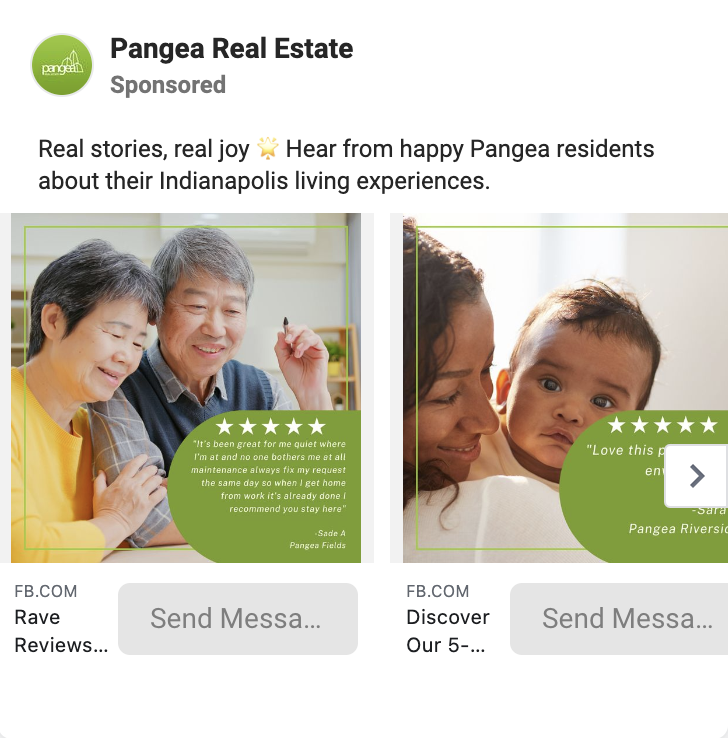
Testimonials have acted as a compelling and authentic strategy to build trust, showcase client satisfaction, and humanize the buying or selling experience. This approach captures satisfied clients’ heartfelt stories and positive experiences through written or video testimonials, providing potential buyers with genuine insights into the real estate journey.
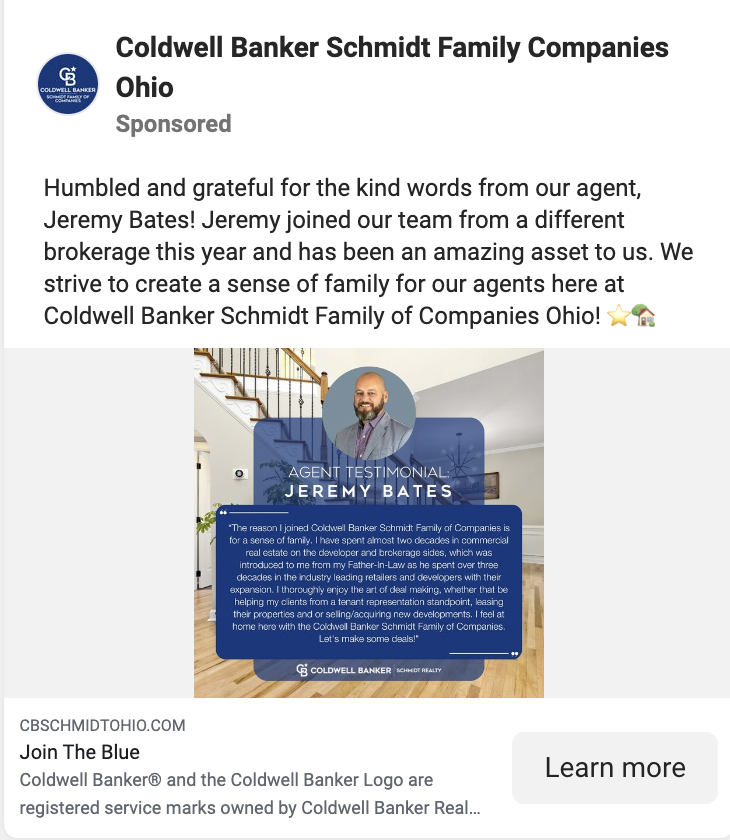
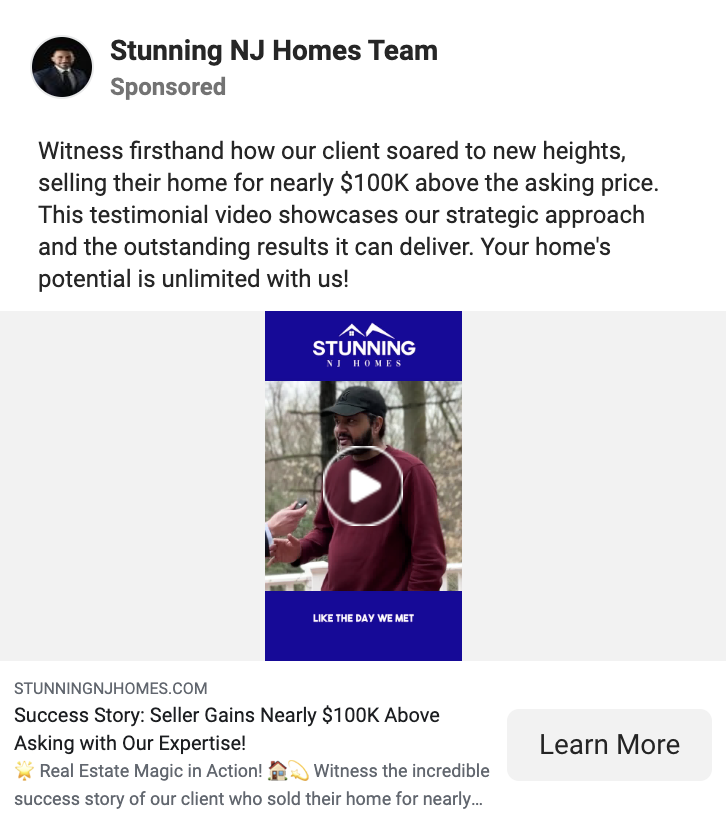
Key Features and Benefits:
- Authenticity and Trust-Building: Testimonials convey authenticity and sincerity that written testimonials may not fully capture. Seeing and hearing real clients share their positive experiences builds trust and credibility, as potential buyers can connect emotionally with the stories.
- Humanizing the Experience: Testimonials humanize the real estate experience by putting a face and voice to the client’s stories. This personal touch helps potential buyers relate to the experiences of others, making the prospect of working with the showcased real estate professional more relatable and appealing.
- Showcasing Diverse Experiences: A testimonial can showcase diverse client experiences. From first-time homebuyers to property investors, each testimonial can highlight different aspects of the real estate journey, resonating with a broader audience and addressing various concerns or considerations.
- Differentiating Your Brand: In a competitive market, a testimonial can differentiate your brand by allowing satisfied clients to become advocates for your services. Positive client stories serve as powerful endorsements, setting your real estate agency apart and attracting potential clients who value the experiences of their peers.
Strategic Implementation:
- Varied Client Profiles: Include diverse clients in your testimonial to appeal to a broad audience. This could encompass different demographics, property types, and real estate needs to demonstrate the versatility and expertise of your services.
- Compelling Storytelling: Encourage clients to share their satisfaction and journey with your real estate agency. Compelling storytelling enhances the emotional impact of the videos, making them more memorable and relatable.
- Professional Production: When using video, invest in professional video production to ensure high-quality visuals, clear audio, and a polished presentation. Well-produced testimonial videos reflect positively on your brand and contribute to a more impactful viewing experience.
Implementation Tips:
- Obtain consent from clients before featuring their stories in testimonials.
- Use snippets or highlights from the testimonial across various marketing channels for increased visibility.
- Regularly update your testimonials with new client stories to keep the content fresh and relevant.
Real Estate Facebook Ads – Offering a Free Home Valuation:
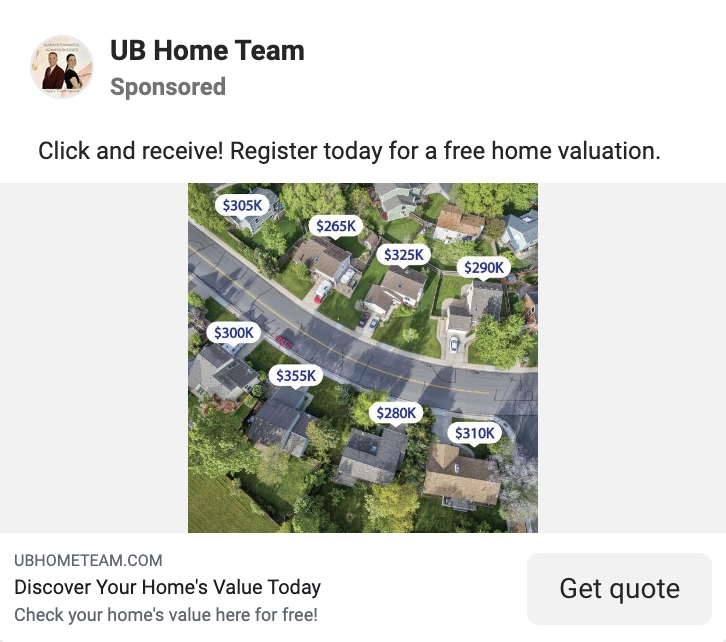
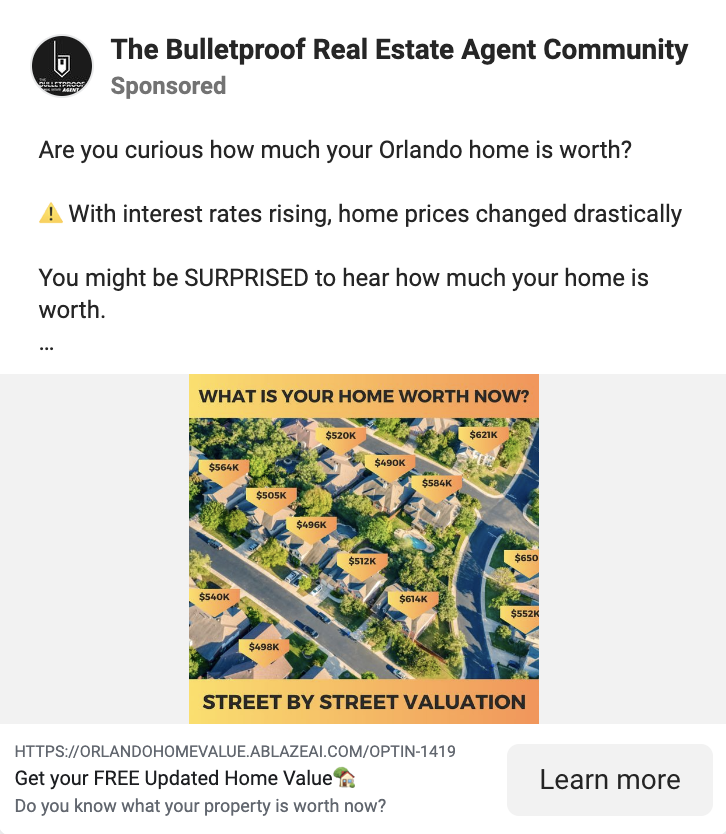
Real estate Facebook Ads are a potent tool for investors and agents. Among the myriad strategies available, one that consistently proves impactful is the “Offer a Free Home Valuation” Ads. In this segment, we explore the significance of leveraging this approach to enhance your real estate advertising efforts.
Key Features and Benefits:
- Client Engagement: Initiate meaningful conversations with homeowners by offering them a valuable service – a complimentary assessment of their home’s market value.
- Lead Generation: Capture leads effortlessly as interested homeowners willingly provide their details in exchange for the free home valuation.
Strategic Implementation:
- Clear Call-to-Action: Ensure your Ads have a clear and compelling call-to-action, guiding homeowners on how to avail of the free home valuation and encouraging immediate interaction.
- Targeted Audience: Use Facebook’s targeting features to focus on homeowners within specific demographics or geographic locations, optimizing your reach and relevance.
Implementation Tips:
- Provide Transparency: Communicate the process of the free home valuation to build trust and encourage more homeowners to take advantage of the offer.
- Follow-Up: Develop a follow-up strategy to nurture leads generated through these Ads, converting them into potential clients over time.
Real Estate Facebook Ads – Localized Hyper-Targeting:
Adopting Localized Hyper-Targeting allows professionals to refine their outreach efforts and connect with potential clients at a hyper-local level. This approach leverages advanced data analytics and geotargeting technologies to tailor marketing campaigns precisely, ensuring that messages resonate with specific audiences in localized areas.
Key Features and Benefits:
- Precision in Audience Segmentation: Localized Hyper-Targeting allows real estate professionals to segment their target audience precisely. By considering factors such as neighborhood demographics, income levels, and property preferences, marketers can tailor messages to specific subsets of potential clients.
- Personalized Content: Tailoring content to the unique characteristics of a local area ensures that marketing messages resonate with the intended audience. From highlighting nearby amenities to addressing community-specific interests, personalized content enhances engagement and establishes a more meaningful connection with potential buyers.
- Enhanced Relevance and Engagement: Hyper-targeting ensures that marketing messages are relevant and timely. By addressing individuals’ specific needs and interests in a localized context, real estate professionals can significantly boost engagement and capture the attention of potential clients more effectively.
- Optimized Ad Spend: Localized Hyper-Targeting optimizes advertising budgets by focusing resources on specific geographic areas with higher conversion potential. This ensures that marketing efforts are directed towards audiences more likely to be interested in the featured properties, maximizing the return on investment.
Strategic Implementation:
- Utilize Geotargeting Technologies: Leverage tools to pinpoint specific locations and tailor marketing messages accordingly. This includes utilizing GPS data, IP addresses, and other location-based technologies to identify and target potential clients in real time.
- Data Integration: Integrate local market data, demographics, and property information to understand the target area comprehensively. The more data available, the more precise the hyper-targeting strategy can be in addressing the unique needs of a particular locality.
- Adapt Campaigns to Local Nuances: Consider the unique characteristics of each neighborhood or community when crafting marketing campaigns. Whether emphasizing school quality, nearby parks, or cultural attractions, adapting campaigns to local nuances enhances their effectiveness.
Implementation Tips:
- Regularly update and refine localized targeting parameters based on changing market dynamics.
- Utilize analytics tools to measure the performance of localized hyper-targeted campaigns and adjust strategies accordingly.
- Stay informed about local events, developments, and trends to continuously align marketing efforts with the evolving needs of specific neighborhoods.
Real Estate Facebook Ads – Behind-the-Scenes Sneak Peeks:
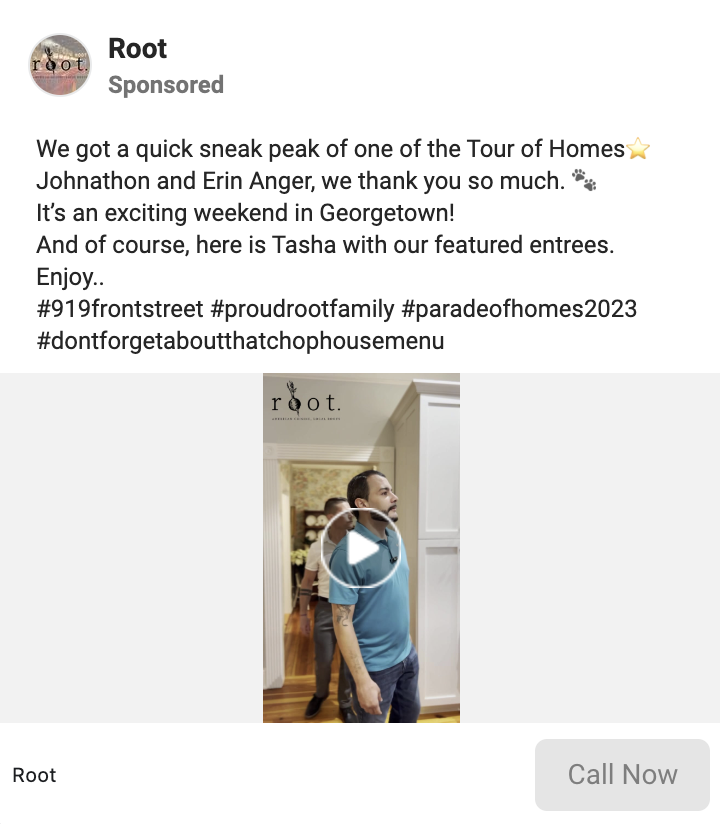
Incorporating behind-the-scenes sneak peeks in your real estate Facebook Ads allows professionals to provide an insider’s view into the intricacies of property listings and the real estate process. This innovative approach goes beyond traditional marketing by offering potential buyers a glimpse behind the curtain, fostering transparency, and creating a more engaging and personal connection.
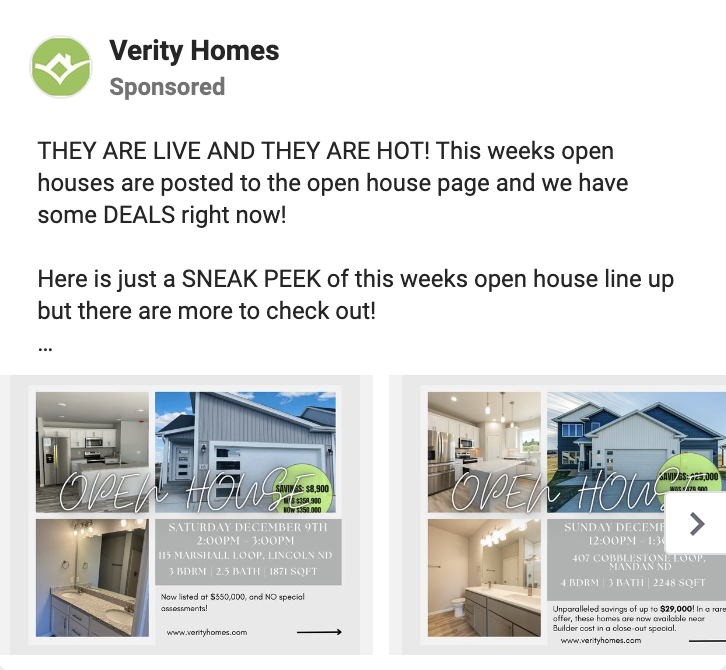
Key Features and Benefits:
- Transparency and Authenticity: Behind-the-scenes sneak peeks foster transparency by allowing potential buyers to see the effort and care invested in presenting a property. This authenticity builds trust and credibility, which is vital to establishing positive client relationships.
- Engagement Through Storytelling: Sharing behind-the-scenes content allows real estate professionals to tell compelling stories. From the initial stages of property preparation to the final touches before a listing goes live, each step becomes a narrative that engages potential buyers and piques their curiosity.
- Showcasing Expertise: Behind-the-scenes sneak peeks allow real estate professionals to showcase their expertise. From discussing design choices to explaining market trends, these peeks can highlight the knowledge and skills that set a real estate professional apart.
- Building Anticipation: Offering a behind-the-scenes look builds anticipation among potential buyers. It creates a sense of exclusivity and involvement, encouraging individuals to stay engaged with the property listing and follow its journey from preparation to market debut.
Strategic Implementation:
- Capture Key Moments: Document critical moments in the property preparation process, from staging and photography sessions to discussions with clients or property owners. These moments humanize the experience and provide valuable insights into the investment in presenting a property.
- Utilize Video Content: Video is a powerful medium for behind-the-scenes content. Visual storytelling enhances the impact of behind-the-scenes peeks, whether through short clips on social media or more extended videos on property listings.
- Engage with Your Audience: Encourage interaction and engagement by inviting potential buyers to ask questions or share their thoughts during behind-the-scenes content releases. This two-way communication builds a sense of community and involvement.
Implementation Tips:
- Be consistent in sharing behind-the-scenes content to maintain audience interest.
- Use behind-the-scenes peeks to highlight the unique features of a property and its distinct selling points.
- Monitor audience feedback and adjust behind-the-scenes content based on what resonates most with your target demographic.
Real Estate Facebook Ads – Market Insights:
Market Insights have emerged as a strategic and engaging approach, enabling professionals to gather valuable market insights while fostering interaction with their audience.



Key Features and Benefits:
- Audience Engagement: Market insights involve the audience in the real estate conversation. Real estate professionals can build community by encouraging participation and interaction, keeping potential buyers and sellers engaged with their brand.
- Real-Time Feedback: Unlike traditional market research methods, interactive polls provide real-time feedback. This immediacy allows real estate professionals to stay agile and responsive to changing market dynamics, adapting their strategies based on the most up-to-date insights.
- Enhanced Personalization: Market insights enable real estate professionals to personalize their approach. By knowing the preferences of their audience, professionals can offer more relevant content, property suggestions, and services, enhancing the overall customer experience.
Strategic Implementation:
- Define Clear Objectives: Whether gauging interest in specific property features or understanding market sentiment, having a clear goal ensures that the market insights are meaningful and actionable.
- Promote Across Channels: Promote market insights across various channels, including social media, email newsletters, and your website. Utilize the reach of different platforms to maximize participation and gather insights from a diverse audience.
Implementation Tips:
- Keep market insights and easy participation to encourage higher engagement.
- Share insights from polls with your audience, demonstrating transparency and creating a feedback loop.
- Review and update topics to align with market dynamics and audience interests.
Real Estate Facebook Ads – Ephemeral Stories for Property Highlights:
Ephemeral stories involve sharing multimedia content—such as images and videos—accessible for a limited time, typically 24 hours. When applied to real estate marketing, Ephemeral Stories provides a platform for professionals to showcase key features, behind-the-scenes footage, and other property highlights in a visually appealing and temporary format.
Key Features and Benefits:
- Foster a Sense of Urgency: The temporary nature of Ephemeral Stories creates a sense of urgency among viewers. Potential buyers are motivated to engage with the content promptly, ensuring they don’t miss out on exclusive property highlights or time-sensitive information.
- Visual Appeal: Ephemeral Stories capitalize on the visual appeal of images and videos to convey property highlights in a captivating way. The dynamic nature of stories allows for a more immersive and interactive experience, enhancing the overall impact of the showcased content.
- Highlight Unique Features: Ephemeral Stories are ideal for spotlighting specific features of a property, whether it’s a breathtaking view, a luxurious amenity, or a unique architectural detail. The temporary nature of the content makes these features stand out, encouraging potential buyers to take notice.
- Encourage Engagement: Viewers can actively engage with Ephemeral Stories through reactions, comments, and direct messages. This interactive element fosters engagement and allows real estate professionals to directly communicate with potential buyers, answering questions or providing additional information in real time.
Strategic Implementation:
- Curate Compelling Visuals: Invest time in curating visually appealing images and videos that showcase a property’s most attractive and unique aspects. High-quality visuals contribute to the overall allure of Ephemeral Stories.
- Create a Story Narrative: Develop a narrative for each Ephemeral Story to guide viewers through the property highlights. This could include a virtual tour, highlighting specific rooms, or providing insights into the lifestyle associated with the property.
- Utilize Story Features: Leverage the features available within ephemeral story platforms, such as polls, quizzes, or swipe-up links for additional information. These features enhance interactivity and allow potential buyers to engage with the content actively.
Implementation Tips:
- Promote Ephemeral Stories across multiple platforms, including social media and messaging apps, to maximize visibility.
- Use captions and overlays to provide context and additional information about the property highlights.
- Monitor engagement metrics to assess the effectiveness of Ephemeral Stories and refine future content accordingly.
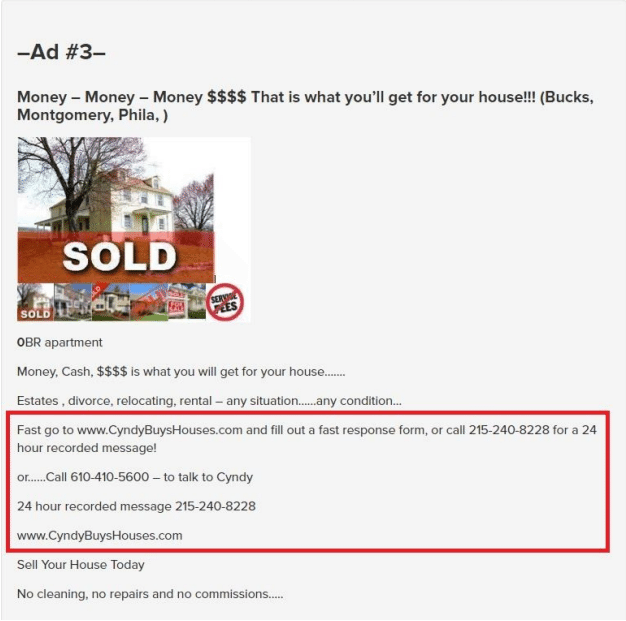
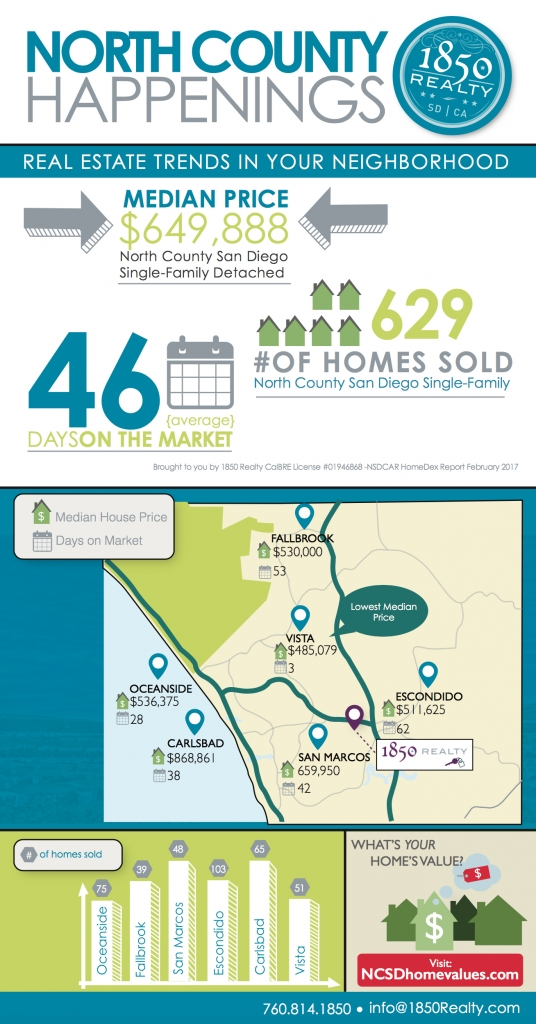
Real Estate Facebook Ads – Highlight Recently Sold Listings
One particularly impactful approach is the “Highlight recently sold listings” real estate Facebook Ads, a powerful narrative that encapsulates success and fosters trust among potential clients.
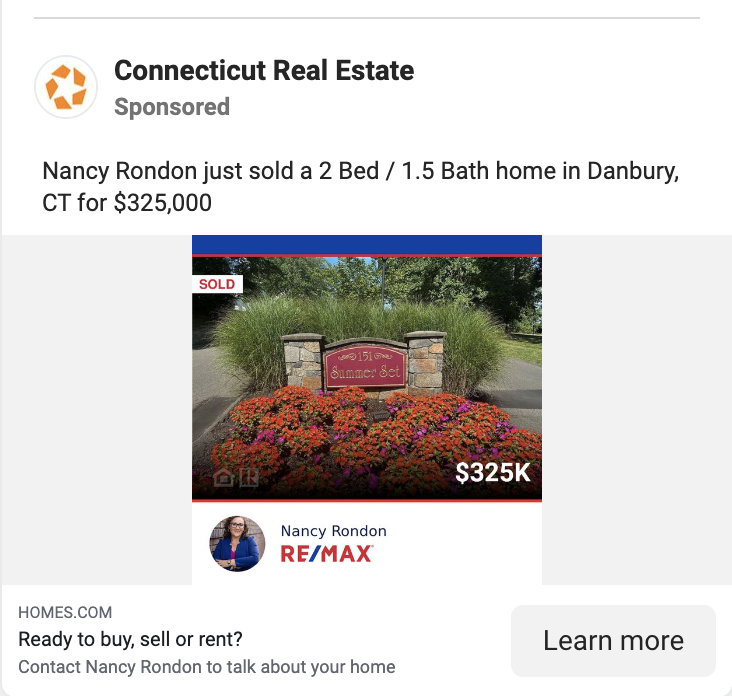
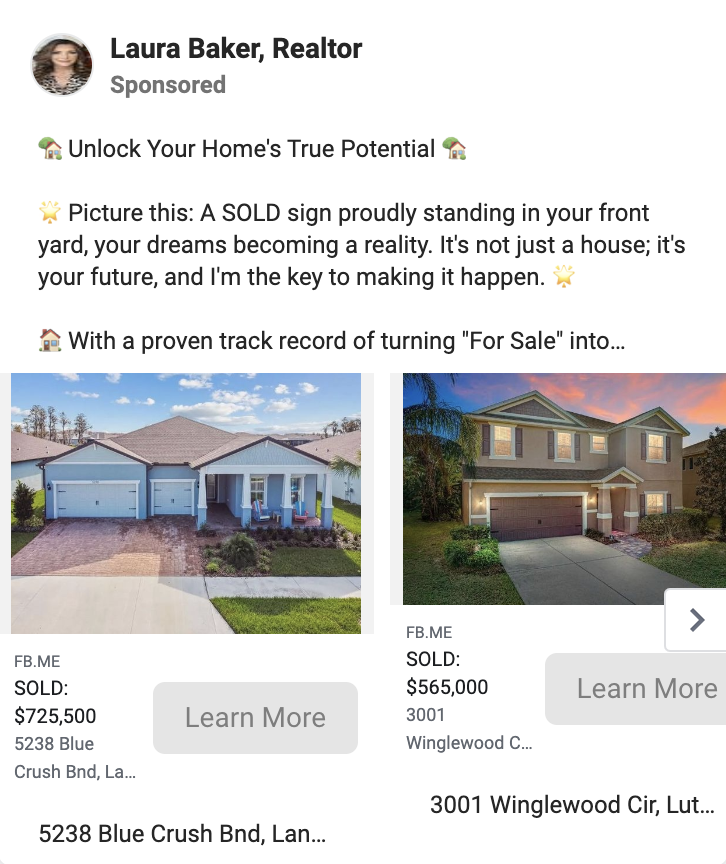
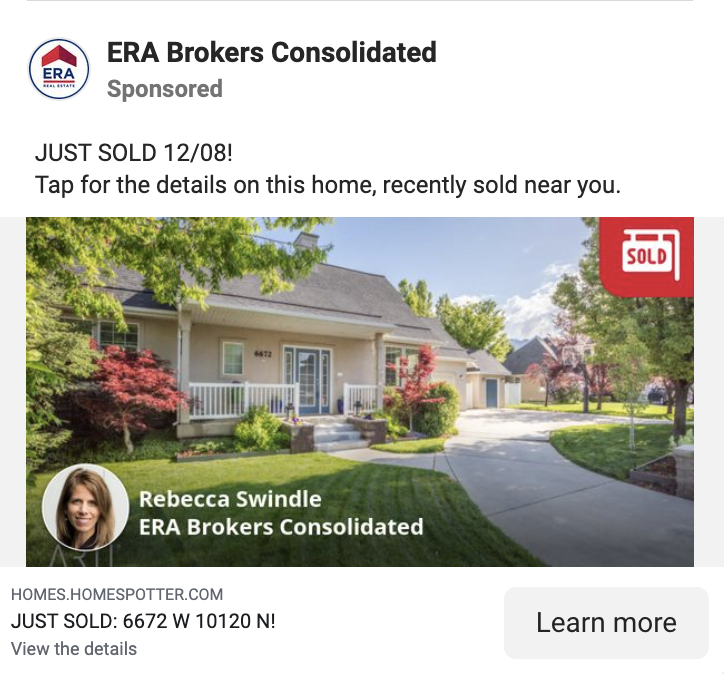
Recently sold listings Ads go beyond showcasing properties—they tell a story of triumph, illustrating the dedication and proficiency of real estate professionals. These Ads serve as a visual testament to success, showcasing recently closed deals that exemplify expertise in the industry.
Key Features and Benefits:
- Visual Storytelling: Leverage the storytelling power of visuals to engage your audience emotionally and convey the diversity of your successful transactions.
- Trust and Credibility: Establish trust by presenting a transparent track record of recently sold properties, reinforcing your credibility as a reliable and successful real estate professional.
Strategic Implementation:
- Diversity in Showcase: Strategically showcase various properties to cater to different preferences and demographics, expanding your reach and relevance.
- Targeted Placement: Place your Ads strategically on Facebook to reach the right audience. Utilize the platform’s targeting features to maximize visibility and engagement.
Implementation Tips:
- Stay Current: Regularly update the recently sold listings showcased in your ads to reflect the dynamic nature of the market.
- Encourage Engagement: Foster community by encouraging audience interaction through comments and inquiries, building trust and credibility.
Conclusion:
As we venture further into 2025, the real estate landscape continues to evolve, and these 14 inspiring Facebook Ad examples showcase the innovative and creative approaches defining the industry.
By incorporating the latest technologies, embracing inclusivity, and staying attuned to market trends, real estate professionals can leverage Facebook ads to engage their audience, drive conversions, and stand out in a competitive market.
Stay inspired, stay adaptive, and watch as your real estate Facebook ads significantly impact the year ahead.
![Content Marketing for Real Estate Agents | Crafting a Niche Report [Agent Whiteboard Series]](https://image-cdn.carrot.com/uploads/Featured-Image-124.png)







































![🔴 How to use TikTok for Real Estate Agents [ Step by Step TUTORIAL + Marketing Strategy ]](https://i.ytimg.com/vi/ggNl1mx8LS4/maxresdefault.jpg)