
Video Transcription
Hey, JT with Silver Street Marketing here. I’m going to discuss why it’s important to have an active Facebook page to find motivated sellers.
We’re going to be going over a couple of reasons of why that’s going to help your business, and how it’s going to be able to benefit you in finding more leads, as well as help give you a little bit more of a different, social proof aspect and kind of add to the identity of your business.
Why You Need a Facebook Page to Find Motivated Sellers
Reason 1: Obviously one of the first reasons that people think of why it’s important to have a Facebook page is the ability that it has to drive traffic to your website, it’s an extra point of conversion so another place that people can find you.
The goal of digital marketing is to take up as much of the screen as possible. So if you can be on Facebook searches, when people Google search you and they can find a Facebook business profile on Google even, that’s just going to add one more, one more little key, one more little piece to taking up that entire page.
That’s going to give you the opportunity to drive more traffic, get in front of more eyeballs and ultimately raise more impressions and get more people reaching out to you. It’s all about taking up as much digital real estate as possible.
Facebook gives you a platform in itself that is very extensive and can be found in multiple different pieces and can help add to that idea of just taking up more digital real estate space.
Reason 2: A second reason why it’s smart to have a Facebook page is because of social proof.
This is a place where you can really show people who are following you, why it’s important to sell their house to you for cash, or why it works, or tell them a little bit about who you’ve worked with in the past, or how you’re able to help somebody and the solutions that you offer.
It’s really easy to do that because it’s such a content-based platform. And because people are searching you out actively, you’re going to have people that you don’t even know, follow you or anything like that, coming back and checking your page.
They’re checking to see what you’re doing. They are interested. And this gives them the opportunity to be able to become a conversion, to be able to become somebody that you help, somebody that is your next client.
To be able to add that to your business is really a big deal because social proof is really the reason why people fill out a form. The reason why they give you a call is because they have found the proof by somebody else that reaching out to you is not a mistake. That it’s a good thing and that it will help them. So adding that social proof by adding a Facebook page really will help grow your business.
Reason 3: A third reason why it’s important to have a Facebook page is the habit of getting into content creation.
When we talk about social proof, this kind of goes hand in hand. In order to get more social proof, which you can do on multiple different platforms, having it on Facebook really helps you get into the habit of producing content.
Producing content will help get more impressions and more eyeballs, but it’ll also help you understand your potential clients more, by giving them value and finding things that will give value to them.
Your Facebook page can really get you in the habit of that. You’ll see reactions and you’ll see how people are reacting to what you’re posting. Maybe it’s really good reactions; maybe it’s negative reactions. How do you present that differently to make sure that it is positive or stay as positive so that you can later engage with the audience when they’re maybe a little bit more ready? Content allows you to drip on those people and stay relevant in front of them.
Reason 4: The next reason kind of follows that same method of thinking, that content will help raise that those impressions and it’ll help give you more social proof, but what it will also do is the Facebook page will give you and your business a true identity in the space.
People are able to connect with you on a different level, whether your business name is Rick Buys Houses, or We Sell Houses Fast Memphis, it doesn’t matter. By having all this content on your page, what you’re doing is you’re creating a brand personality and identity, and that’s what people want to connect with.
They don’t want to just connect with companies and businesses because companies and businesses are related to making money, right?
A person is related to service and to helping you, by producing that right brand identity and that right image through your content. This is done through your Facebook page.It’s going to give you an upper hand when it comes down to people deciding which company they want to work with.
When there’s an identity that they can relate with, that’s where most likely they’re going to go. They relate with what your business stands for because you’ve put that into an image.
You’ve put that into something almost tangible for them, almost a relationship for them. Creating that brand identity through your Facebook page is really important. We can do that by showing people into our own beliefs, into our way of thinking into our benefits, because we say, “We are people trying to help you. We’re not a business trying to make money.”
That’s something that a Facebook page naturally can do as well because it’s so based on having an identity.
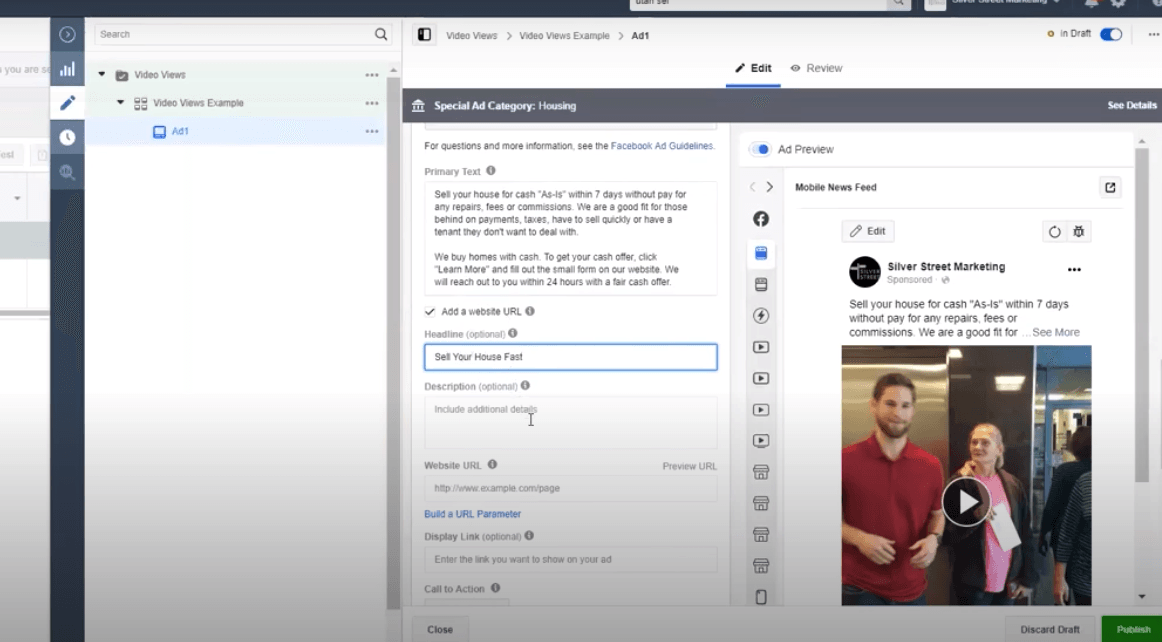
Reason 5: A lot of people come forward and say, “Hey, I want to drive more traffic to my website.” Your Facebook page is necessary in order to run Facebook ads which is one of the best ways to get traffic and driving people to your website.
It’s very important that you have a Facebook page in place before you do that because a Facebook page that’s already more established is going to perform better because it already has audiences that are engaging with it.
The algorithm already has some data that’s in the background that it can work off of. So having a Facebook page for longer, is going to season your account and help you be more successful.
Ultimately when it comes down to a Facebook page, you need to be consistent with it.
You are going to see results come in all ways, shapes and forms, but definitely the way that we talked about in this post, as long as you consistently give your page some attention, commenting back to people who are commenting to you, answering any questions that are coming through the messenger, treating it as if you are a person behind that logo, because that’s what’s going to get people to keep flocking towards you and you’re going to attract more people instead of having to put so much time and effort into purely just try to find them.
There’s a lot of things that Facebook can do for you and I hope you guys can take this and go on and make your page.
If you need help creating your page, continue to read this post. Below, we dive into how to create your Facebook page to find more motivated sellers.
How to Create a Facebook Business Page for a Real Estate Investor

Video Transcription
In this section, we are going to be going over how to create a Facebook business page to cultivate more motivated sellers and give you a little bit of a hub to build some brand awareness on Facebook and get started on your Facebook journey.
If you have never created a Facebook page before, it’s very simple. Just log into your Facebook and you’re going to come up here to the top and you’re just going to hit, create. It’s going to pop up and a little section here that says, page.
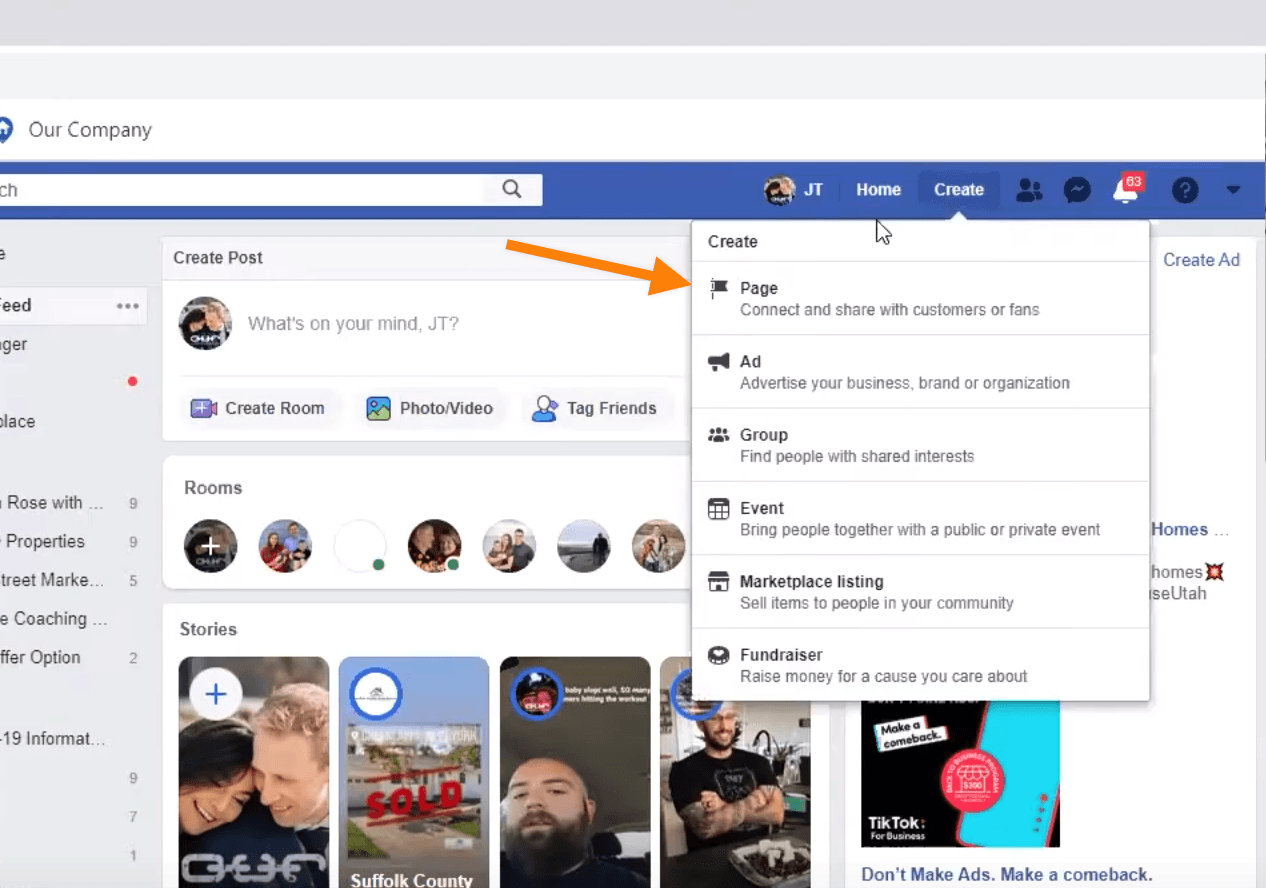
And we can just click away. It will load up and you’re going to find under business, get started and we’re going to name our page. I’m going to name it JT Homebuyers.
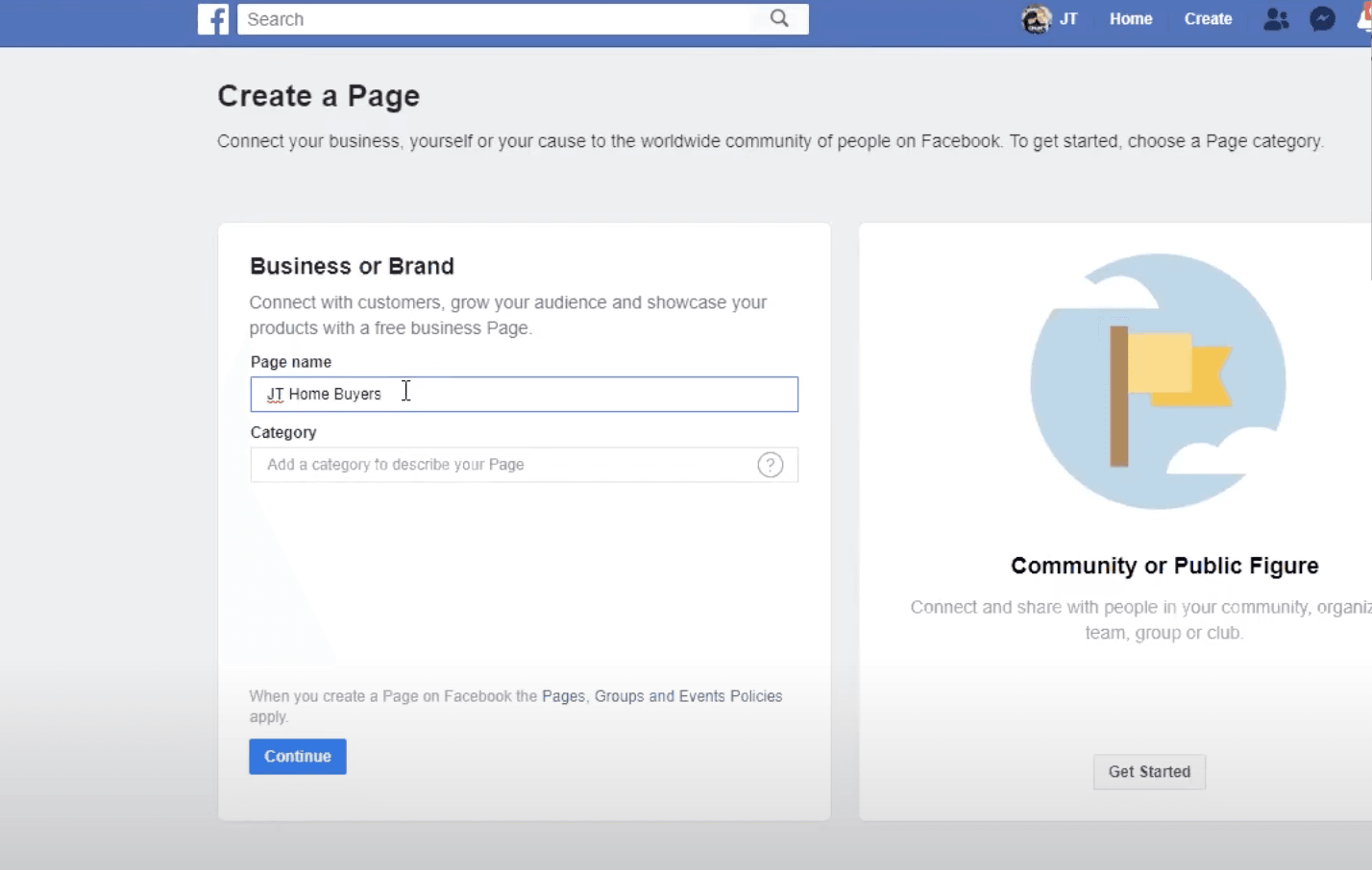
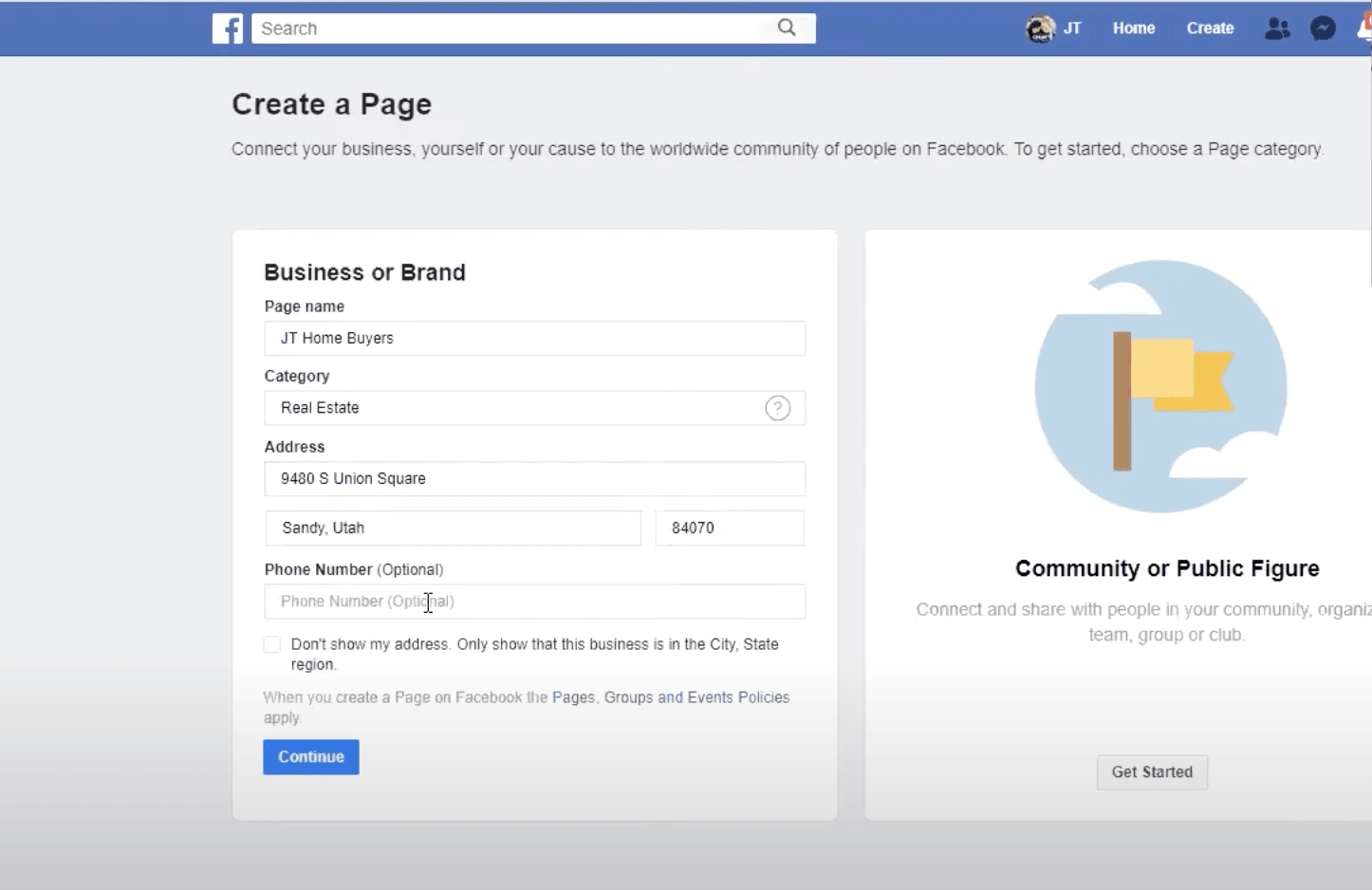
Now, we’re going to do our category. I like to just type in real estate and just do the broad real estate right here. Obviously, there are other options you can pick from, but generally, I just do this one.
We have the option to put in your address and a phone number, it just depends on what you want. So that is up to you.
For this example, I’ll go ahead and add the address.
That brings us to a page where we need to now upload a profile picture and get everything working for the new page.
For this example, I’m going to upload a picture of myself and my wife. I recommend to either upload a picture of you, or you can upload a picture of your logo, as long as it’s going to fit in there. But people oftentimes like to respond to personal looking pages.
So sometimes I’ll do a picture of the actual owner of the company or an acquisitions manager, or sometimes I’ll do a picture of the logo itself.
Now we need a cover photo. I made this cover photo using Canva. I’ll show you how in a moment, but Facebook also offers a free appointment booking tool that people can book appointments through your page.
You can take advantage of this, or you can build a Calendly scheduling link that you can put in as well. Just be sure to have those connected to your posts or your app. I’m going to go ahead and skip this just for the time being, but you can always go back to using this stuff as well.
Back to the cover photo, I created on Canva. It’s very simple. There are general templates you can already use, but this is where you start.
Now that we have our profile picture up and ready to edit. You can update and edit it, change it, crop, and do numerous other changes to make it look nice and pretty.
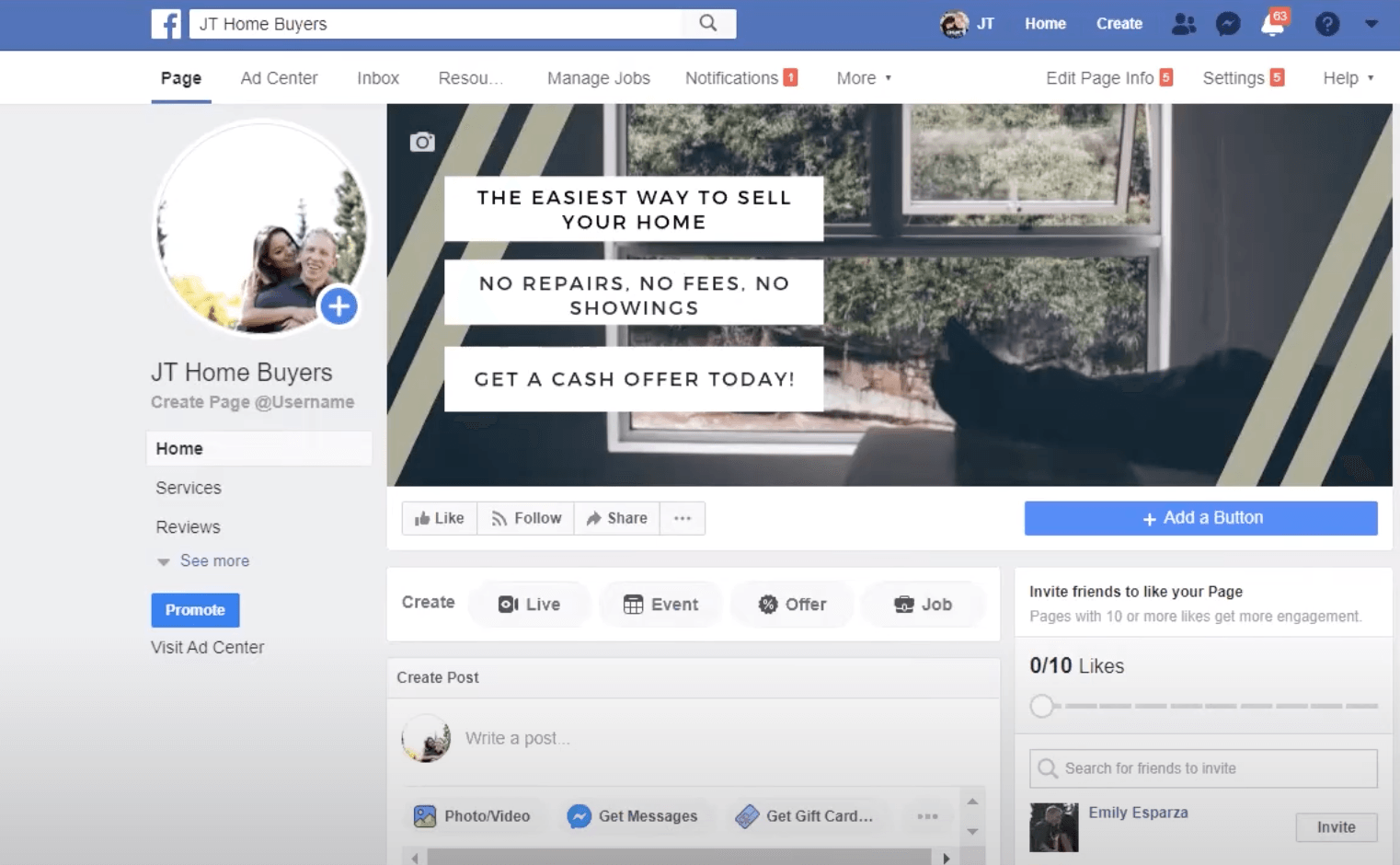
The next thing we want to do is add a button. Generally, I will recommend to people they either do a call or a learn more button.
If you decide to do a “contact you”, you can see more options such as, send message, or contact us, call now. I’m just going to use www.silverstreetmarketing.com, click save, and then we’re going to hit finish.
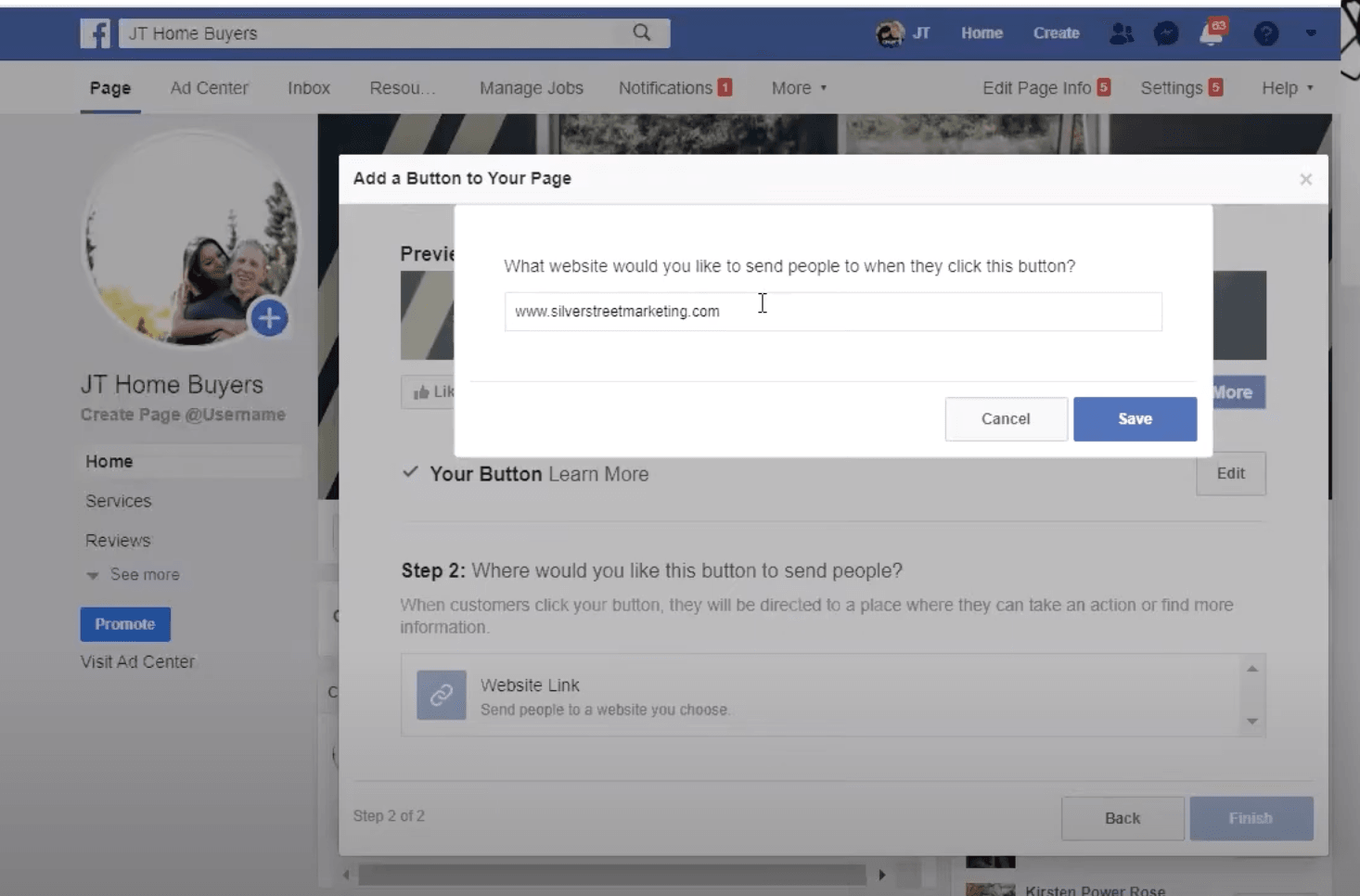
Now somebody clicks on that button, they will be taken to my website. Or, if you did a call us, it would just call you immediately from either their cell phone or if they have some sort of service hooked up to their tablet or computer.
Now it’s time to add more to our “about us” section. Generally for this, I’ll use the same picture as my cover photo, or I’ll create a new one entirely just for it.
I’m going to name it, we buy houses with cash in any condition. This is going to show in the bottom right hand corner of our actual page.
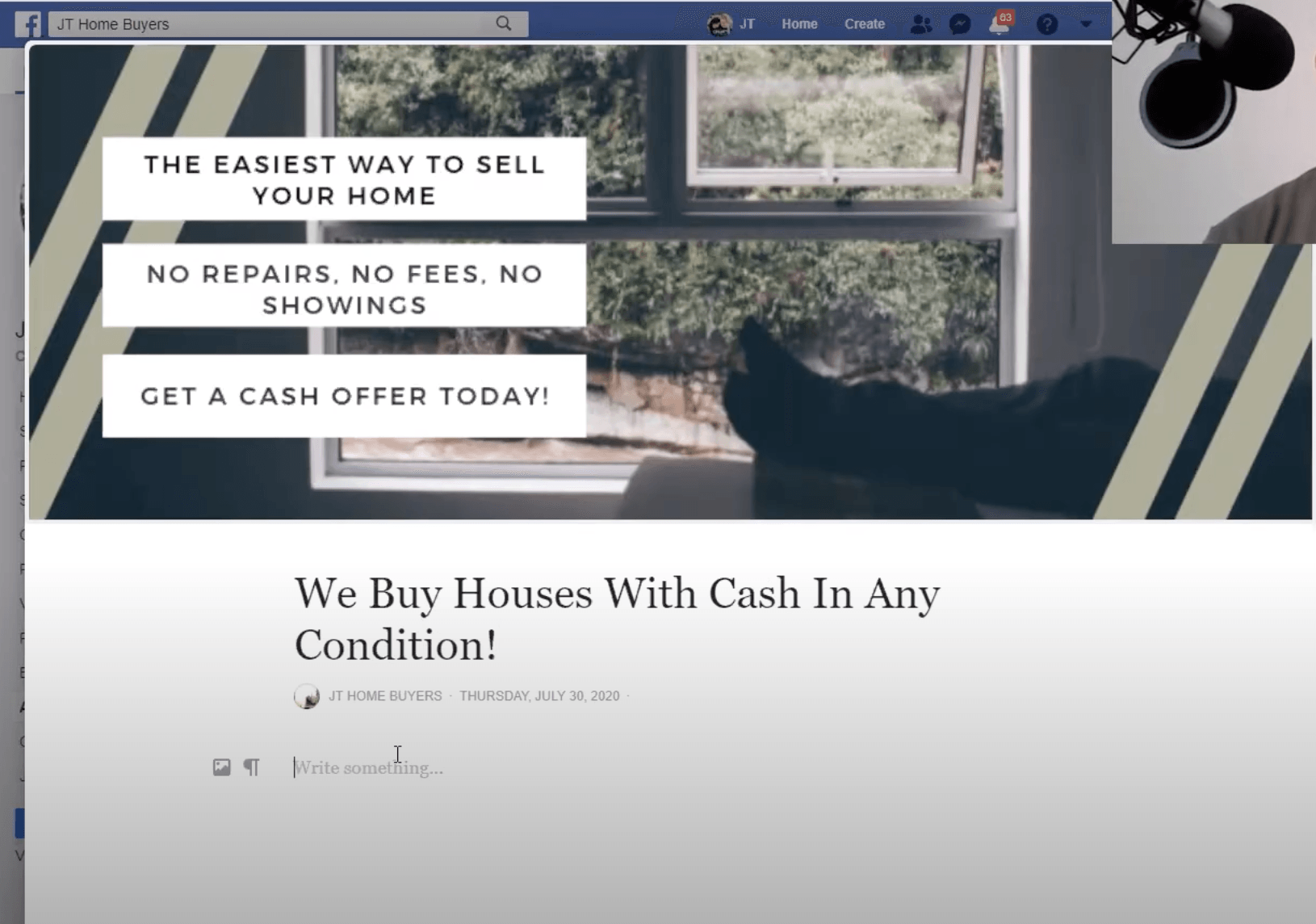
Then we write an article.
One thing to do is go to your website and actually copy and paste your information from there. Or, you can write this freehand, whatever you’d like. I’m just going to go ahead and write freehand for just the example.
I’ll use, “We buy houses all across Utah with cash. No matter the condition or situation, we can provide a custom solution for you.” with a quick call to action, “Get your cash offer at www.silverstreetmarketing.com.”
Then I’m going to keep talking about what I offer. So, “Cash solution can be a good fit for you if you need to sell quickly, are behind on payments or taxes.”
You can keep going on and talk about why your offer is a good offer for them.
Once we finish that, we’ll just go ahead and hit publish, and we’ll show you kind of where this is going to pop up so that people will actually be able to click and read it.
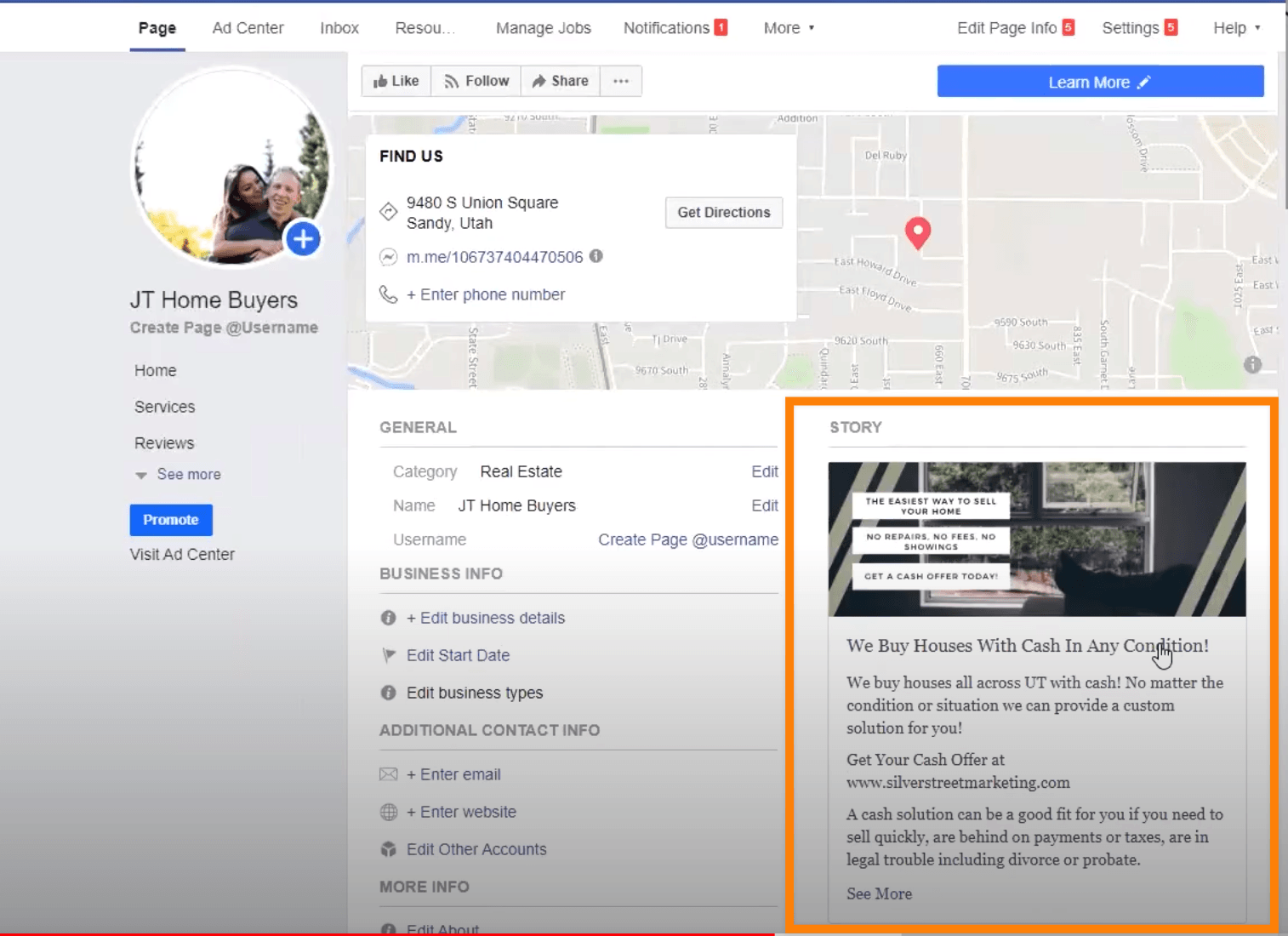
The more information that you can give on this page, the more likely you have a chance of having somebody actually reach out to you because they feel comfortable. They feel like they’ve got what they needed from understanding you and the social proof and going forward from there.
You’ll have additional options to add too. I would definitely say, enter your website. What this does is gives multiple points of conversion. You can enter an email or, add more about us, whatever you’d like.
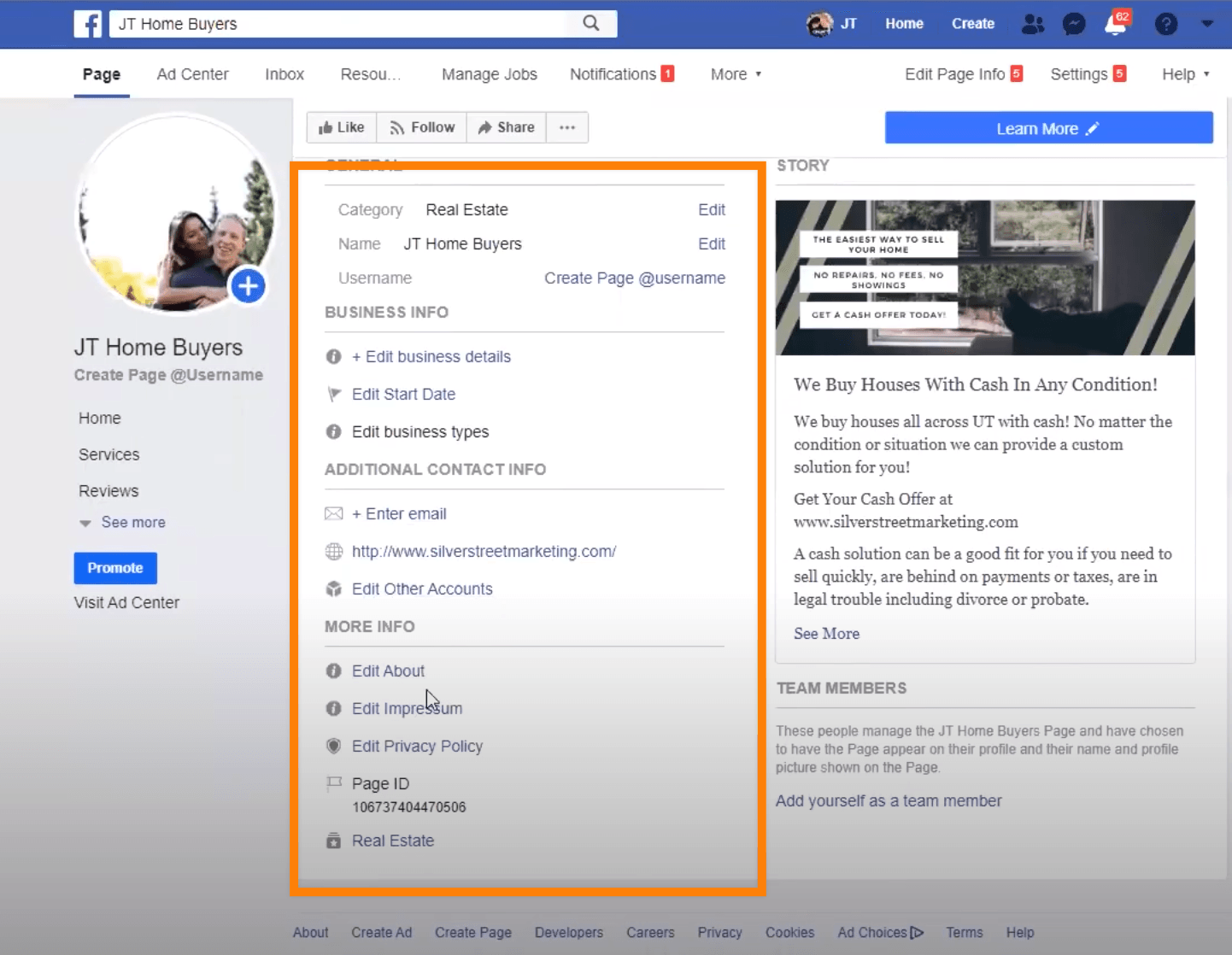
Going to come back to the homepage we want to go into the page information and make sure that we’ve got everything set up correctly and have enough information in there so that when people come across our site, again, they have more information that they can get their social proof from.
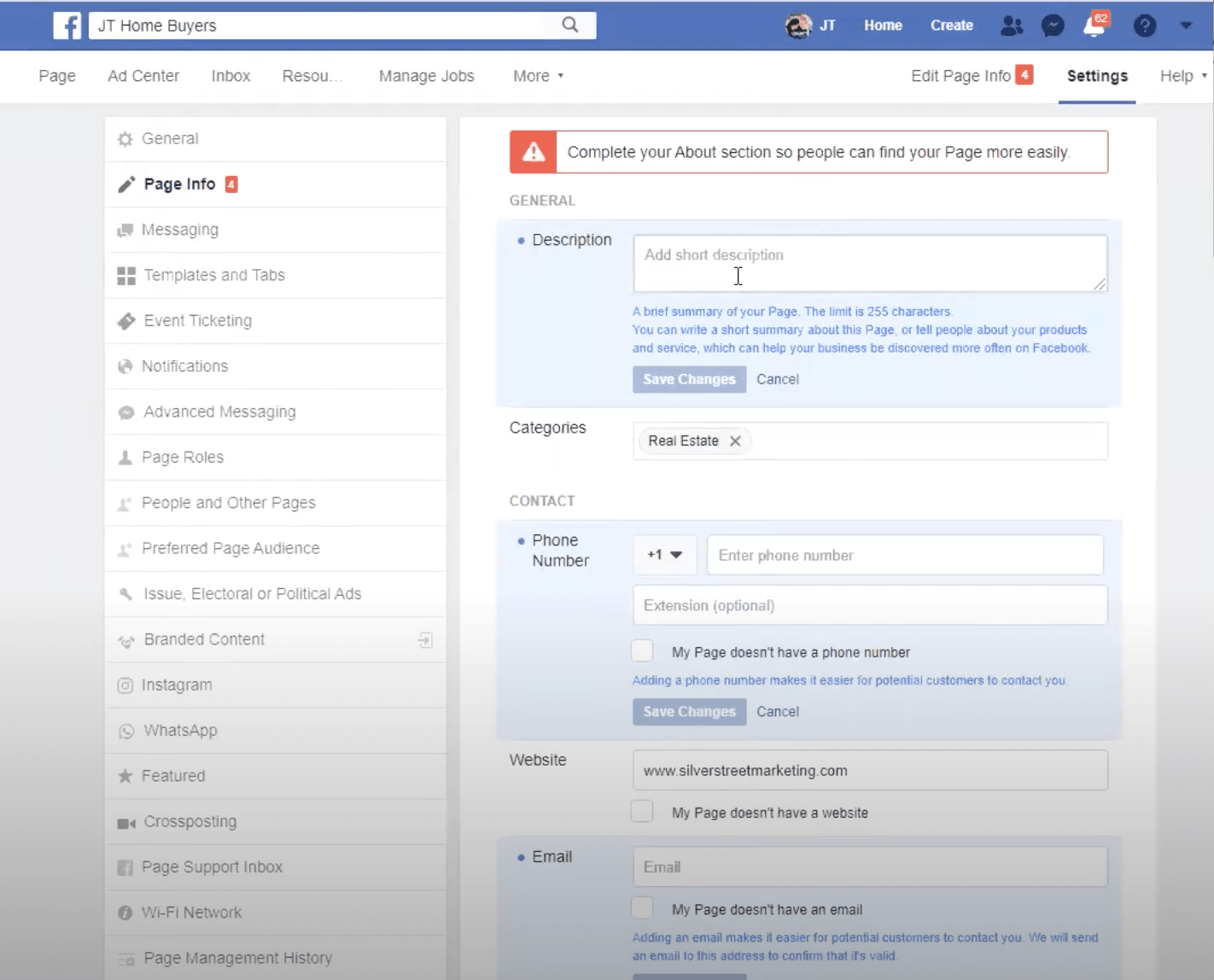
Next, we can add a description, “We buy houses with cash.” Go on and describe your business a little bit. Add your phone number and email. I always like to add operations. I don’t just do always open. I feel like people come across that and they kind of think that’s a little weird.
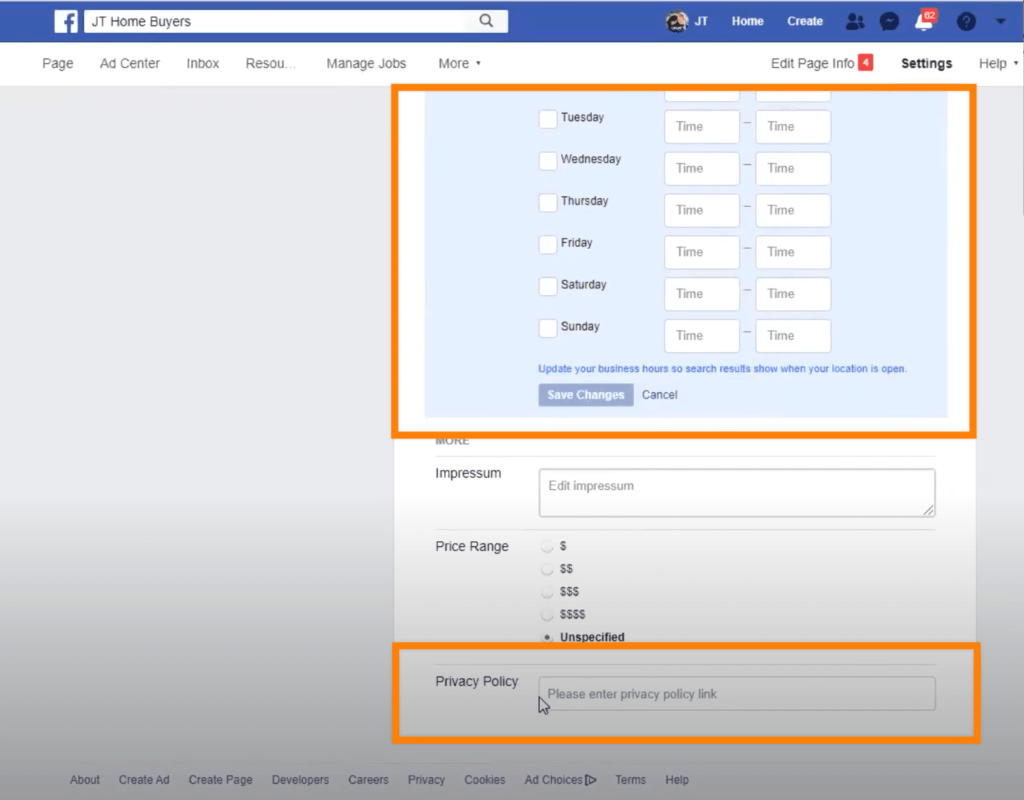
So I’ll actually put times for every day, like 8:00 to 5:00 or 7:00 to 7:00, and I’ll leave Sunday off or whatever I want to do. I’ll leave the price range off. Then the privacy policy. I go to my website and grab the content from the privacy page, and add it.
Adding People to Your Page
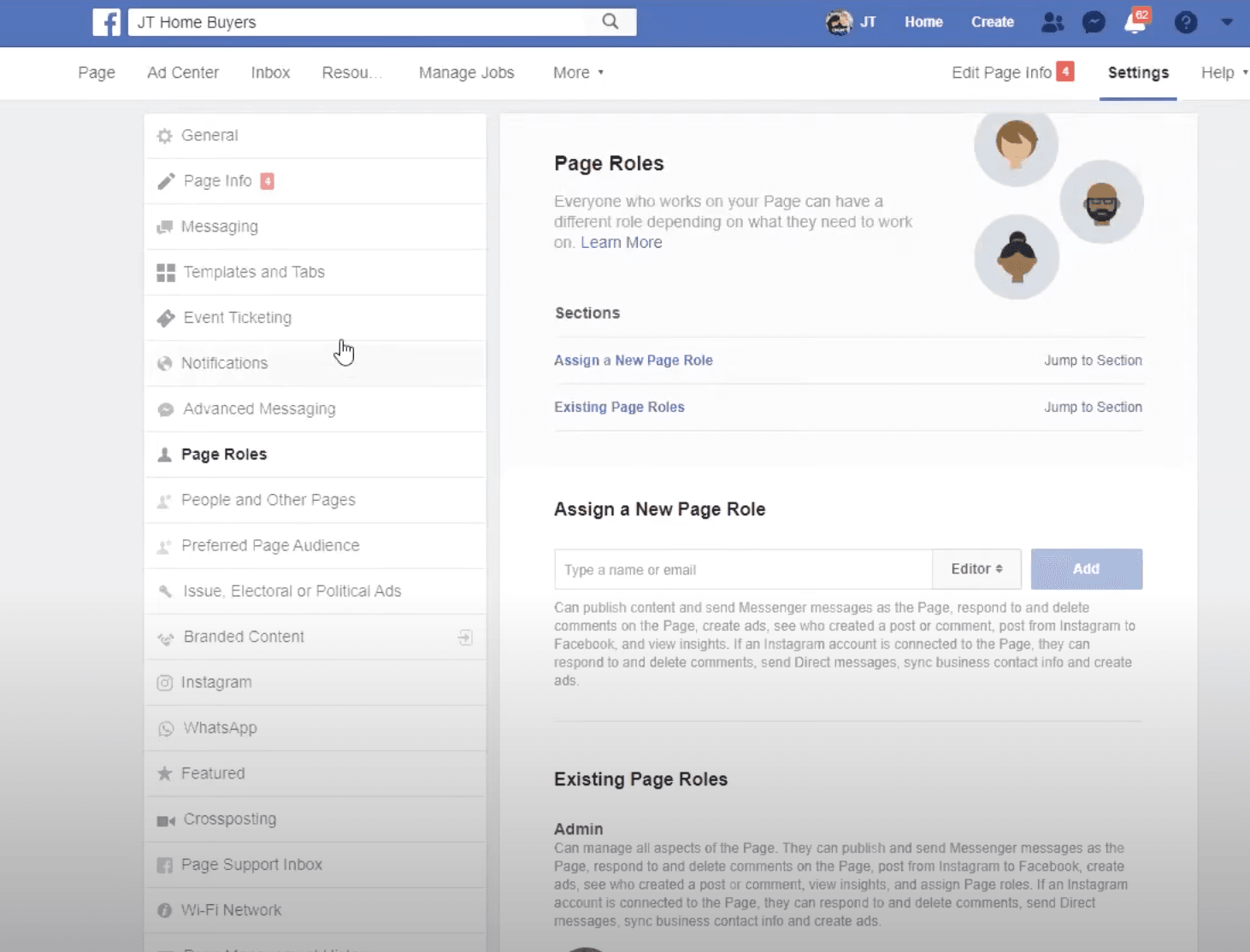
Going forward, if you ever want to add somebody to your page, you can come down here into page roles. And what you can do is you actually find them on Facebook and add them to the page.
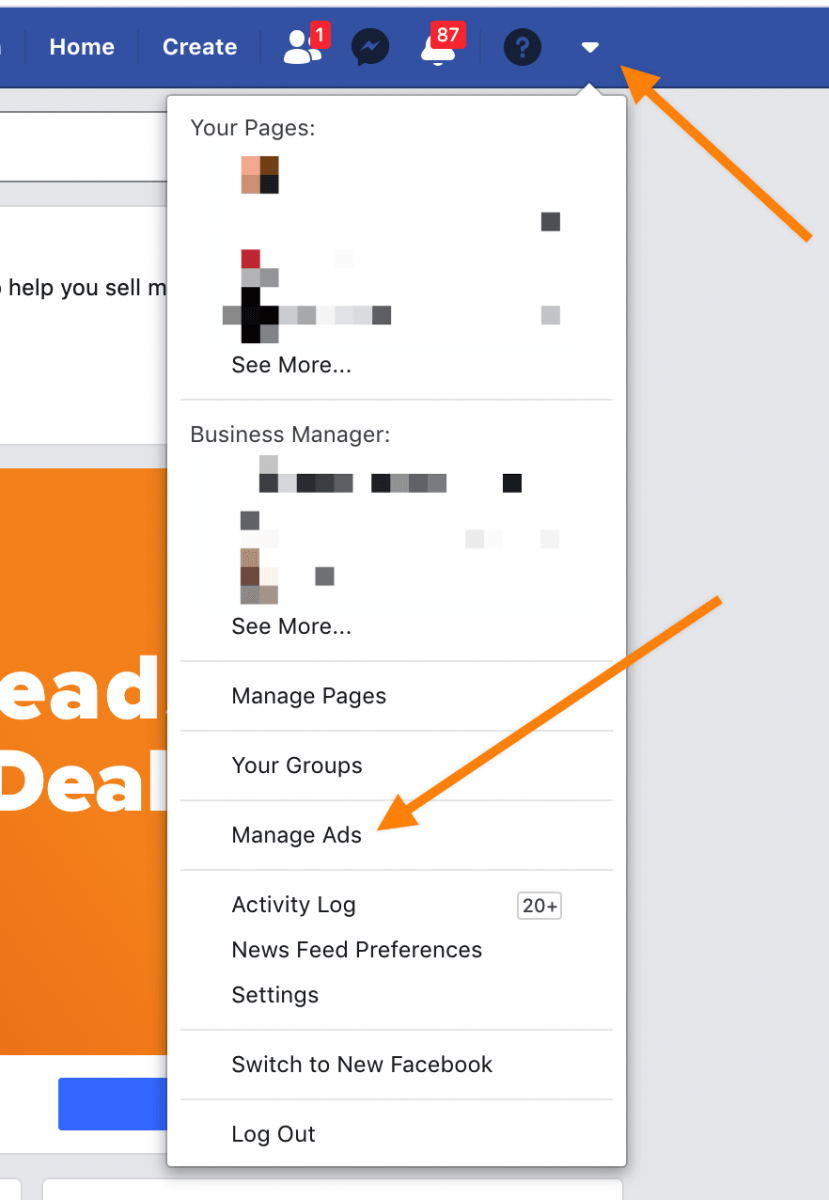
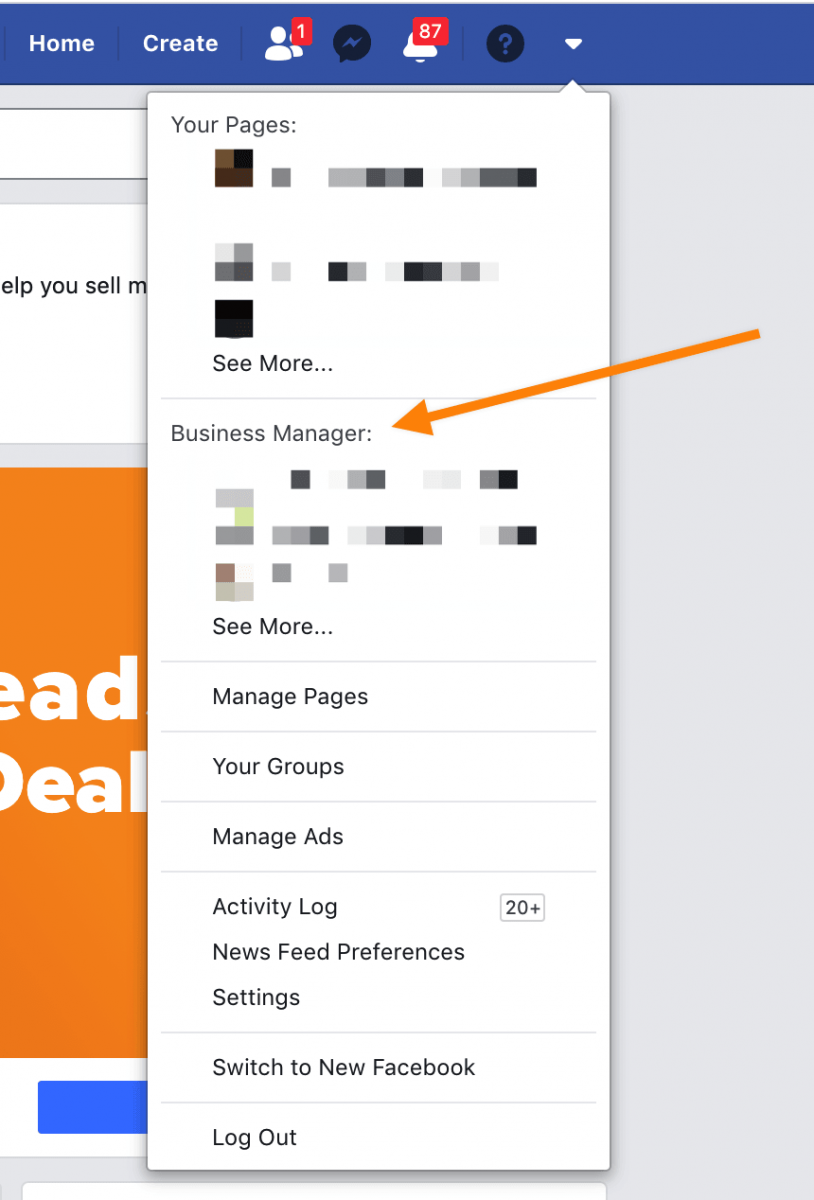
You can type them in right here and then you can assign them to the page. I really like using a business manager. I think it’s a little bit easier to manage all this and to be able to do it and add an agency to the page without having to make them an admin.
The way that you do that is you just go to business.facebook.com and you hit sign up and it will link through your Facebook account and link your page to your business manager, where you can share your page with other people without having to add them manually and without having to give them so much access. You can choose what they’re going to see and what they’re going to do and send them actual invites. So that’s a little bit easier.
Automated Messaging
Next, there is an option to set up basic automated messaging. You can add the messaging in the advanced messaging tabs, where you can actually set up different messaging parameters for when people are sending messages to you.
This is where you would connect your ManyChat or other Facebook chat software. You can also request different features.
Hop into the “other messaging” tab where you’re going to be able to set it some basic messages and settings for the messages. If you were to want to show a greeting, you just go ahead and turn this on, and then you can type in what it’s going to say.
For example, the generic version is, “Hi, first name and last name. Thanks for getting in touch with us on Messenger. Please send us any questions you may have.”
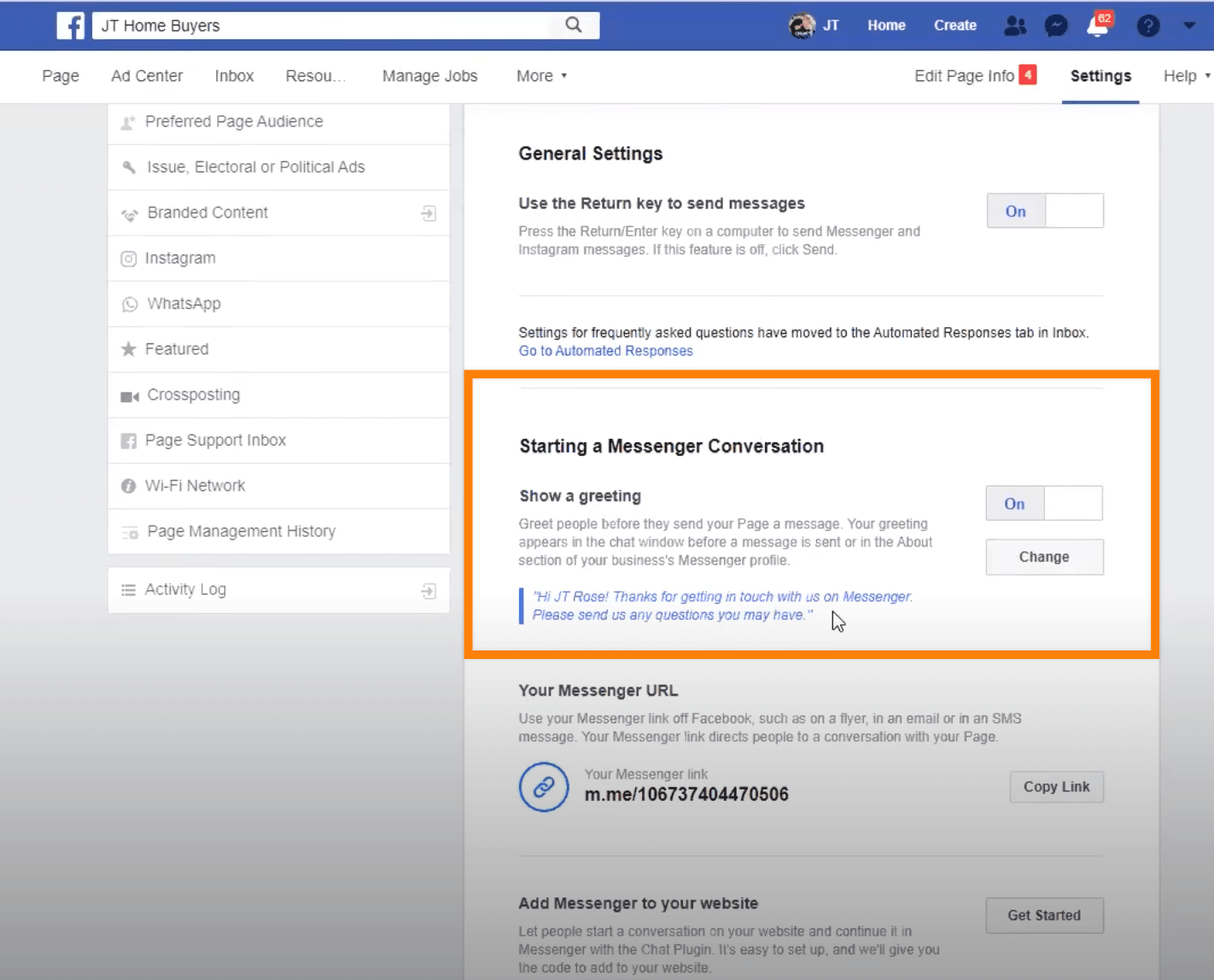
Some other things that you can do are add Messenger to your website and set up automated responses.
You can set up little tabs that they can select that say, like, “Learn more about our business.” And they can press it, and then you’ll tell them more about your business with an automated bot.
I would suggest if you’re going to do stuff like that, ManyChat is a really good platform to get used to and to add that it’s a little bit easier to build on their platform. Another thing that you can always do is take the link for your Messenger and share that if you have people who want to reach out to you.
Just copy and paste it and people can click on it and message you from there without having to go to your page and then go through messaging. They can just click on that little link.
From here on out, you’ve got your Instagram that you can connect. You can obviously connect WhatsApp. You’ve got different platforms that these can kind of go together with.
Then, if you have any messages coming in, you can access all that up under “inbox.” You can also manage any of the posts that you’re posting just by going over here to the more and going to publishing tools.
It will bring up past posts. You can go into the Creator Studio and make different posts as well. It’s a little bit more seamless, a little bit easier to schedule posts for the future.
I’d suggest grabbing all of your Carrot blog posts that you’re getting or the SEO that you’re doing, and come into Creator Studio and start creating these. And say, “Hey, I want these scheduled out.”
You can do this on the homepage too, but I just find it a little bit nicer to use the Creator Studio. It seems to flow a little bit easier. You can upload multiple videos at once, you can upload multiple pictures at once and assign those out to different posts.
So it’s really simple.
How to Create Posts
Start by clicking “create posts.”
This is where you would paste your Carrot information. Next, you can click the schedule, backdate, and saved draft. If you schedule, you’re scheduling for the future. If you backdate, you’ll backdate up until the day that you created the Facebook page. So for this example, we created it today, we can’t backdate anything.
If you had created a Facebook page a year ago, you could backdate all your posts, so you can put a bunch of posts in the past to give you an essence that you’ve been around, been posting on the page longer. Or you have a little bit more social proof for people to go back in this scroll line with.
Just in case, I want to show you again, if you don’t want to use this Creator Studio, you can just go back to the main page and post this right here in the beginning.
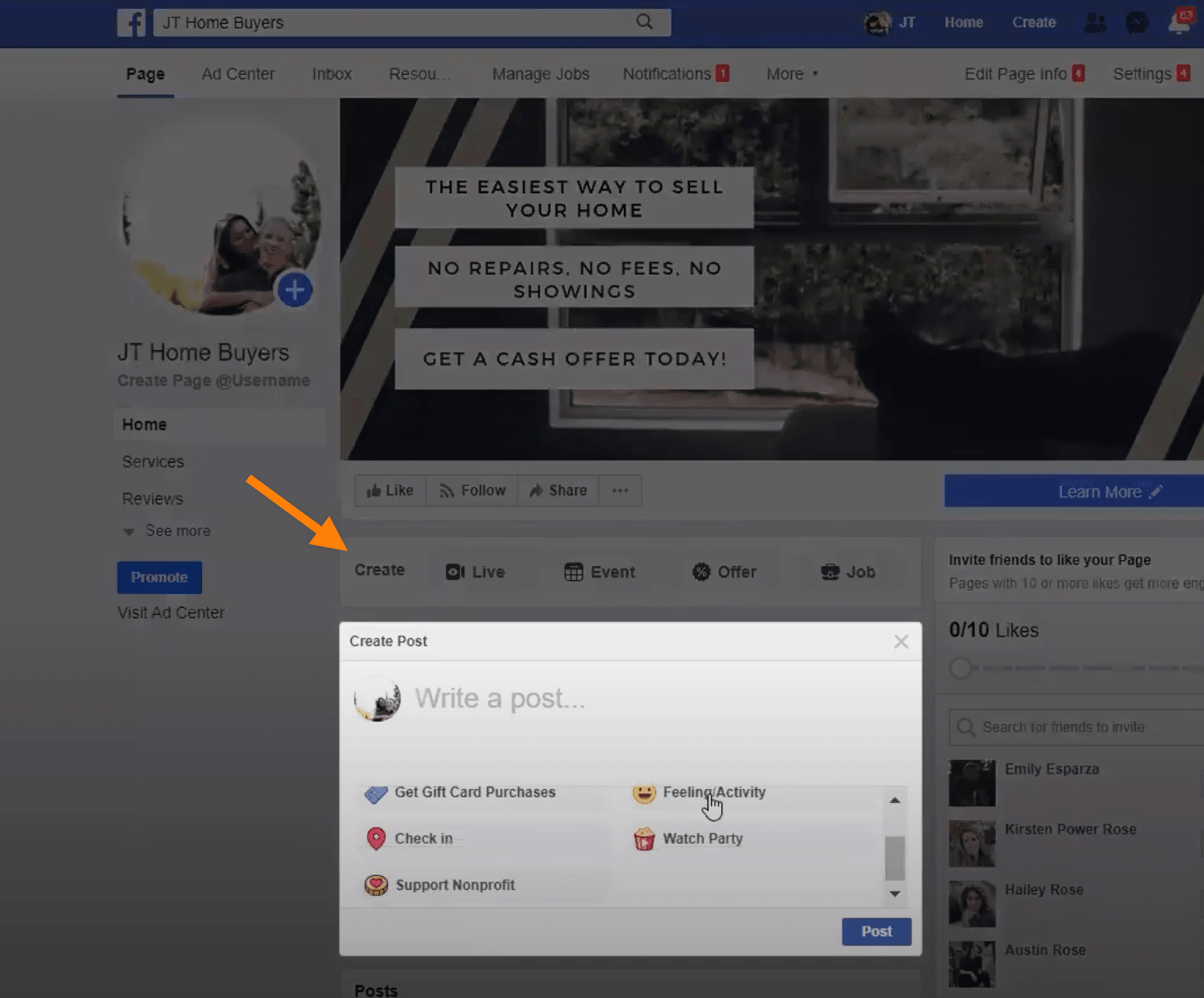
If you’re posting on your own Facebook page, use write post. In the end, it will give you the option to schedule your post.
If you guys have any questions about how to set this up, we’d love to help you and make sure that everything’s working well and that you’re on a great path to get success from Facebook.
Be sure to check out our other videos about how to set up ads, what ads we’ve been using, what KPIs we use, and how we’re getting more leads for our clients by using Facebook.